
Vectrex Studio builds C as well as VPy. A C project is a folder with a .cvproj manifest and a Makefile. It is written against libvpy, the SDK runtime that also runs VPy, and it builds for the in-IDE WASM simulator, the RP2350 debug cartridge and the UVMC2 multicart. You get the same editor, emulator, upload and debugger as a VPy project.
This page covers the IDE side. For the SDK itself, see the SDK overview, Your first game and the libvpy reference. For how VPy calls map to C calls, see VPy and C.
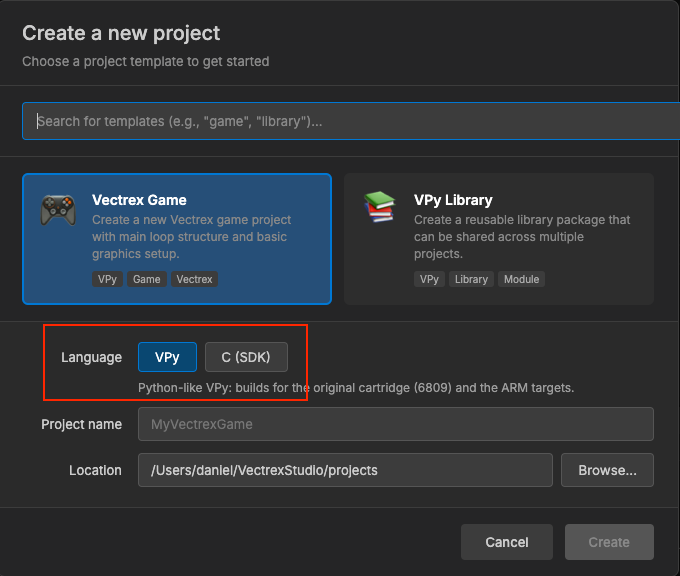
Creating a project
File → New → Project…, with the language C (SDK), creates:
| File | What it is |
|---|---|
<name>.cvproj | The manifest: which make target to run for each hardware target |
Makefile | Build rules for sim, rp2350 and uvm2, plus the asset rules |
src/main.c | A working game on libvpy (#include <vpy.h>, vpy_run(setup, loop)) |
compile_flags.txt | Include paths for clangd: the pinned SDK's headers, src/ and gen/ |
.gitignore | Ignores gen/, build_wasm/, build_rp2350/, build_uvm2/ |
New projects are pinned to the latest SDK release in an [sdk] table, and go to ~/VectrexStudio/projects unless you pick another folder. See Projects and the SDK for how pins work.
The generated src/main.c:
#define VPY_SHORT_NAMES
#include <vpy.h>

static int ship_x;

static void setup(void) { ship_x = 0; }

static void loop(void)
{
    PRINT_TEXT(-60, 60, "HELLO WORLD");
    ship_x += J1_X() / 32;
    if (ship_x > 100) ship_x = 100;
    if (ship_x < -100) ship_x = -100;
    DRAW_LINE(ship_x, -20, ship_x - 15, -50, 127);
    DRAW_LINE(ship_x - 15, -50, ship_x + 15, -50, 127);
    DRAW_LINE(ship_x + 15, -50, ship_x, -20, 127);
}

int main(void) { vpy_run(setup, loop); return 0; }
setup() runs once and loop() runs once per frame. vpy_run() owns the frame boundary: it waits for the beam, reads the controls and flushes the strokes. Never call v_WaitRecal() yourself. If you do, the frame is never flushed and nothing is drawn.
Importing a project
File → Open → Import C/C++ Project… asks for a folder.
- If the folder already has a
.cvproj, that file is opened unchanged. The one named after the folder wins, otherwise the first one found. - If it has none, the IDE writes
<folder>.cvproj. It reads theMakefilefor a rule whose name containspitrex(that becomes the default[build]recipe) and one containingrp2350(that becomes a[targets.rp2350]table). Any.wadin the folder is listed indeploy_extra. The new manifest is pinned to the latest SDK and contains commented-out[simulate],[toolchain]and[env]tables for you to fill in.
An imported game usually needs a [targets.uvm2] table and a Makefile rule for it. The Makefile recipes section below shows the four lines that add one.
The .cvproj file
The manifest is TOML. This is what New Project writes for a project called ship:
[project]
name = "ship"
type = "c-external"
target = "rp2350"
entry = "src/main.c"

# Default recipe, used when a target has no [targets.<target>] table.
[build]
command = "make"
args = ["rp2350"]
artifact = "build_rp2350/ship_sd.bin"

[targets.rp2350]
command = "make"
args = ["rp2350"]
artifact = "build_rp2350/ship_sd.bin"

[targets.uvm2]
command = "make"
args = ["uvm2"]
artifact = "build_uvm2/ship.um2"

[simulate]
command = "make"
args = ["sim"]
module = "build_wasm/ship.js"

[sdk]
version = "v1.4.4"| Table | Field | Meaning |
|---|---|---|
[project] | name | Display name |
type | Always "c-external"; it is what marks the file as a C project | |
target | The target used when none is selected: pitrex, rp2350 or uvm2 | |
entry | The file opened first | |
[build] | command, args | The default build command (required) |
artifact | The file the build produces, relative to the project (required) | |
deploy_extra | Extra files copied to the SD card root | |
[targets.<t>] | command, args, artifact, deploy_extra | Replace the [build] values for one target |
[simulate] | command, args | The WASM build that Shift+F5 runs |
module | The emscripten loader (.js) it produces | |
[toolchain] | path | A folder added to the front of PATH for the build |
[env] | any | Environment variables for the build; they override the SDK variables the IDE sets |
[sdk] | version | The uvmc2-sdk release the project builds with |
If a manifest has [targets.*] tables but none for the selected target, the IDE refuses to build. It names the targets the manifest does declare, so you never get the default recipe's artifact by mistake. A manifest with no [targets.*] tables at all falls back to [build] and warns.
The Makefile
The IDE runs make with the pinned SDK's paths in the environment:
| Variable | Points to |
|---|---|
UVMC2_SDK | The SDK root, ~/VectrexStudio/sdk/<version> |
UVM2_SDK_DIR | <root>/uvm2-sdk |
VPY_C_SDK, VPY_C_DIR | <root>/vpy-c (libvpy, vpy3d and the other modules) |
PITREX_SIM_SDK | <root>/pitrex-sim (the host shim the simulator links against) |
RP2350_SDK | <root>/rp2350-sdk |
VPY_CLI | The IDE's own compiler, for the asset rules |
uvm2 builds also get the pico-sdk and the Arm GNU Toolchain the IDE downloads. Outside the IDE, pass the SDK yourself:
make sim UVMC2_SDK=~/VectrexStudio/sdk/v1.4.4New-project Makefile
A new project's Makefile has three build targets:
| Command | Produces | Used by |
|---|---|---|
make sim | build_wasm/<name>.js | Shift+F5, the WASM simulator (emscripten, vpy.c + sdk_host.c) |
make rp2350 | build_rp2350/<name>_sd.bin | The RP2350 debug cartridge |
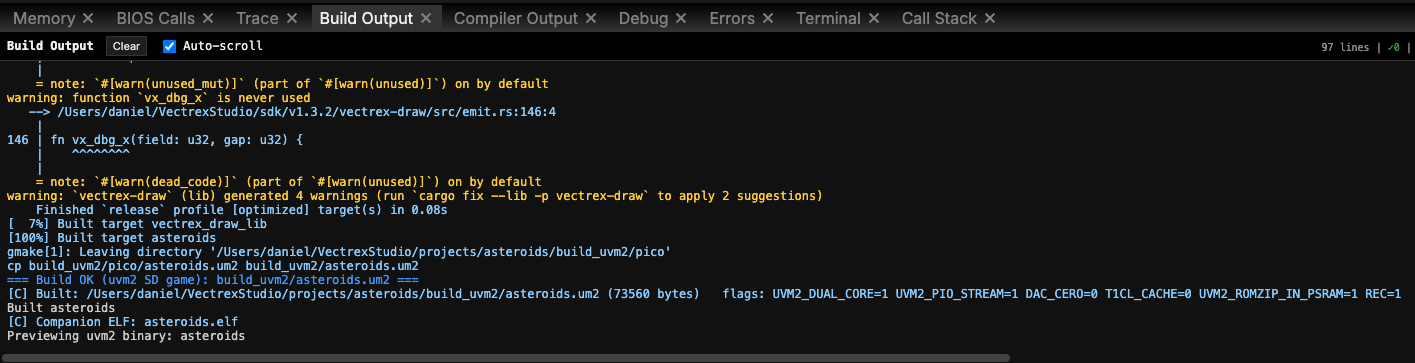
make uvm2 | build_uvm2/<name>.um2 | The UVMC2 multicart |
The rp2350 and uvm2 rules are not in your Makefile. They come from the SDK's shared recipe, uvm2.mk, which the Makefile includes at the end. Add more sources to SRCS. A project that uses .vmesh or .vscene also needs $(VPY_C_SDK)/vpy3d.c there.
Adding the cartridges to any C game: uvm2.mk
uvm2.mk is a drop-in recipe for any C or C++ game. Set the name and sources, then include it:
UVM2_NAME   = mygame                 # -> build_uvm2/mygame.um2
UVM2_SRCS   = src/main.c $(VPY_C_SDK)/vpy.c
UVM2_CFLAGS = -mcpu=cortex-m33 -mthumb -ffreestanding -O2 -Isrc -Igen -I$(VPY_C_SDK)/include
include $(UVM2_SDK)/uvm2.mk
Optional variables are UVM2_DEPS (generated headers to build first), UVM2_CXXSRCS (C++ sources), UVM2_LDLIBS and UVM2_CC. The include gives you two rules:
| Rule | Produces |
|---|---|
uvm2 | build_uvm2/<name>.um2, built through the pico-sdk with CMake |
rp2350-cart, also named <name>_rp2350 | build_rp2350/<name>_sd.bin, the RAM image the debug cartridge loads from its SD card. It is built from the same sources and flags as the .um2, dual core through the cartridge BIOS, with -g for the debugger |
make uvm2 UVM2_HZ=60 sets the refresh rate (50 is the default, 0 means unlimited).
The examples' common.mk
The 22 examples share an older rule file, examples/individual_tests_c/common.mk. A test's Makefile is two lines:
NAME = draw_line
include ../common.mk
It provides $(NAME)_wasm (simulator), $(NAME)_rp2350 (the debug cartridge, through svc calls one at a time) and $(NAME)_pitrex (kernel7l.img, which needs a PiTrex SDK). The examples' .cvproj files declare pitrex as their target and [simulate] for the simulator. For new work, start from a new project and uvm2.mk.
Building and running
| Key | In a C project |
|---|---|
| Shift+F5 | Runs the [simulate] build and loads the module into the emulator panel (the WASM simulator) |
| F5 | Builds the target selected in Settings with its [targets.<t>] recipe and runs it on that target's emulator |
- WASM simulator: the fastest loop. It runs your C compiled with emscripten against the SDK's host shim. It has no debugger.
- rp2350: the RAM image runs in the IDE's RP2350 emulator. Debug → Debug on Cartridge runs it on the real cartridge over SWD.
- uvm2: the
.um2runs in the IDE's UVM2 emulator. Build → Upload to Cartridge puts it on the multicart over USB and starts it.
See Cartridges for upload and on-cartridge debugging.
Assets as C headers
C projects use the same asset files and editors as VPy. Each asset is compiled into a header in gen/:
$(VPY_CLI) compile-asset assets/vectors/ship.vec --format c --out gen/ship.hThe new-project Makefile has a gen/%.h rule for every asset type and runs them before sim, rp2350 and uvm2. It covers .vec, .vmus, .vsfx, .vinstr, .vrec, .vsmp, .vmesh, .vscene, .vclip, .vskel, .vanim and .vplay. make assets builds them alone. Include the header and pass its array:
#include "ship.h"     /* SHIP_vec */
#include "theme.h"    /* THEME_music */

static void setup(void) { PLAY_MUSIC(THEME_music); }
static void loop(void)  { DRAW_VECTOR(SHIP_vec, 0, 0); }
The symbol is the file name in upper case, with -, . and spaces turned into _, plus a suffix for the type. Two assets with the same name (for example ship.vec and ship.vmus) both become gen/ship.h, so give every asset of a C project its own name. Keep VPy's folder layout (assets/vectors, assets/music…), because levels and animations include their sprites' headers. For every asset type, see VPy and C.
A project created before some asset types could be used from C may be missing their rules. Copy them from a new project's Makefile.
The editor
C files get the same Monaco editor, driven by clangd:
- Diagnostics and completion from clangd, with its quick fixes in the light bulb (Cmd+.).
compile_flags.txtfollows the pinned SDK. When you change the[sdk]version, the IDE rewrites the SDK include paths to the new release and adds-Igen, so the editor finds the new headers and your generated asset headers. Other lines are kept.- Values on hover while paused (rp2350 and uvm2). Next to clangd's own hover you see the value of a parameter or local of the hovered function (when it is running, or inlined where the program is paused), a global or file
static,s.fieldandarr[i].field. A member read through a pointer (p->field) is not shown.
Debugging
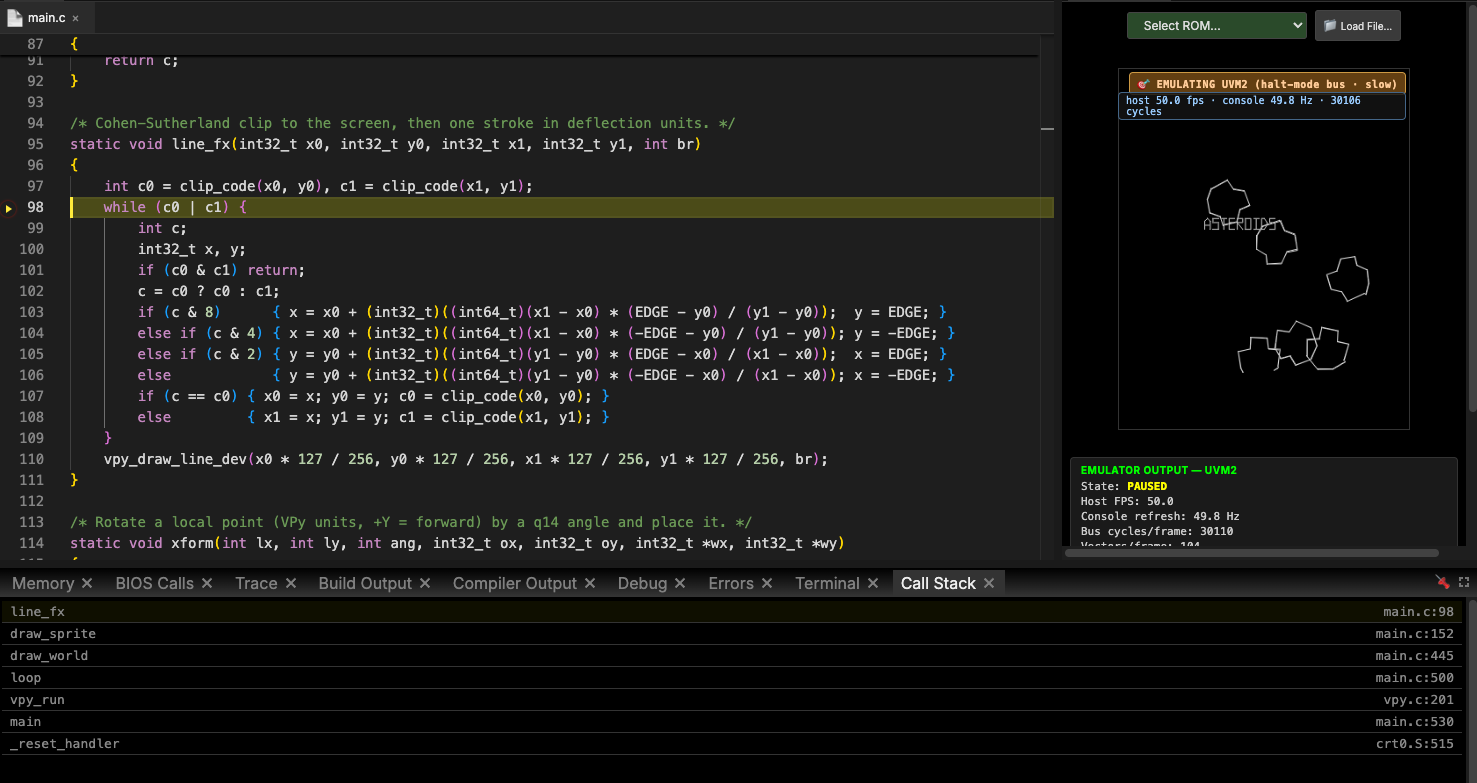
Breakpoints, F10/F11/Shift+F11, the call stack and hover values work in your C files on rp2350 and uvm2, both in the emulators and on the cartridges. Step Into goes down into the SDK and libvpy and opens their sources. The WASM simulator and pitrex have no debugger. On rp2350, vpy_log("x %d\n", x) and DEBUG_PRINT_LABELED send text to the build output as [rtt] lines while the game is debugged on the cartridge. Full details: Debugging.
The 22 examples
examples/individual_tests_c/ holds C versions of the VPy individual tests. Each one is one src/main.c on vpy.h with a .cvproj:
| Area | Examples |
|---|---|
| Drawing | draw_line, draw_move, draw_rect, draw_circle, draw_shapes, draw_vector, moving_vectors, screen_border, set_intensity, fade_effects |
| Text | print_number, set_text_size |
| Input | joystick_buttons, joystick_position |
| Math | math_functions, trig_functions, random_numbers, physics_ball |
| Sound | play_music, play_sfx |
| Levels | scrolling_level, vplay_test |
They are pinned to SDK v1.3.2 and build with common.mk. Open one, then press Shift+F5 to run it in the simulator.