
VPy is a Python-inspired language for the Vectrex. The compiler (vpy_cli) turns it into MC6809 assembly for a cartridge ROM (--target m6809, the default) and into ARM code for the RP2350 cartridge (rp2350), the UVMC2 multicart (uvm2) and the PiTrex (pitrex). Values are integers: no floats, no booleans, no runtime exceptions.
Most of the language works the same everywhere. Where a target differs, this page says so, and the table at the end sums it up.
Program Structure
Every VPy program has two special functions:
def main():
    # Called once at startup — initialization only
    SET_INTENSITY(127)

def loop():
    # Called every frame — game logic goes here
draw_player()main()runs once when the cartridge starts.loop()runs every frame (~50 fps). All drawing and input goes here.- You don't write a frame loop: the runtime calls
loop()for you. WAIT_RECAL()is injected at the start ofloop()by the compiler — do not write it yourself.
Minimal example
META TITLE = "HELLO"

def main():
    SET_INTENSITY(100)

def loop():
    PRINT_TEXT(-50, 0, "HELLO WORLD")
Variables and Constants
Global variables
Declared at the top level, persisted across frames:
player_x = 0
player_y = 0
score = 0
Local variables
A plain assignment inside a function creates a local. There are no let, var or global keywords, and locals cannot carry a type annotation (x: u8 = 1 inside a function is a parse error):
def update_player():
    dx = joy_x * 2            # local
    player_x = player_x + dx  # player_x is global
If the name is declared at the top level, assigning to it inside a function writes the global. Otherwise it is a local of that function: t in update_player() and t in draw_hud() are two different variables, and a local of main() is not visible in loop(). To share a value between functions, or keep it from one frame to the next, declare it at the top level.
Constants
const declares a compile-time constant. Constants cannot be reassigned:
const MAX_ENEMIES = 8
const GROUND_Y = -70
const HALF_W = WIDTH // 2      # consts of consts, in any order
const WIDTH = 120
const FLAG = 8
const MASK = ~FLAG & 0xFF      # 0xF7
A constant can be a number, another constant, or arithmetic (+ - * / // %) and bit operations (& | ^ ~ << >>, not, comparisons) on those. Division truncates toward zero, as at run time. On m6809 a constant takes no RAM: every use is an immediate value, so a value that cannot be computed at compile time (a variable, a call, a string) or that does not fit in 16 bits is a compile error with its line.
Enums
enum declares a group of constants numbered 0, 1, 2… as in C. NAME = n sets a value, and the members after it count on from there. Members are global constants (the enum's name only labels the group); write one per line, or several on a line separated by commas:
enum State:
    ST_TITLE                # 0
    ST_PLAY, ST_PAUSE       # 1, 2
    ST_OVER = 10
    ST_WON                  # 11
Compound assignment
x += 1
flags |= 4
flags &= 251
bits ^= 1
v <<= 2
v >>= 1
+= -= *= /= //= %= &= |= ^= <<= >>= all work on variables and on array elements.
Types and Values
Untyped variables default to i16. Declare a type with Python type-hint syntax, on globals only:
health: u8 = 100          # 8-bit unsigned (0–255)
direction: i8 = 1         # 8-bit signed (-128 to +127)
score: u16 = 1000         # 16-bit unsigned (0–65535)
position: i16 = -100      # 16-bit signed (-32768 to +32767)
big: i32 = 100000 # ARM targets only| Type | Size | Range | Targets |
|---|---|---|---|
u8 | 1 byte | 0–255 | all |
i8 | 1 byte | -128 to +127 | all |
u16 | 2 bytes | 0–65535 | all |
i16 | 2 bytes | -32768 to +32767 | all |
u32 | 4 bytes | 0–4294967295 | rp2350, uvm2, pitrex |
i32 | 4 bytes | -2147483648 to +2147483647 | rp2350, uvm2, pitrex |
- On m6809,
u32/i32are a compile error with the line. Arithmetic is 16-bit and wraps modulo 65536. - On the ARM targets every scalar (global, local or parameter) is a 32-bit word whatever its annotation, and arithmetic is 32-bit. There the annotation matters for arrays, whose elements have the declared size.
0is false, any other value is true. No floating point and no booleans — use1and0.- On m6809,
u8/i8take 1 byte of RAM andu16/i16take 2. Smaller types save RAM.
Note: Const arrays with a
u8annotation can cause runtime issues in complex games. If you hit that, keep const arrays untyped.
Literals
x = 42        # decimal
x = 0xFF      # hexadecimal
x = 0b1010    # binary
x = -7        # negative (compiled as 0 - 7)
Strings are zero-terminated (high-bit terminated for the Vectrex BIOS) and are used as arguments to builtins or stored in string tables:
PRINT_TEXT(-50, 0, "GAME OVER")
const NAMES = ["LEVEL 1", "LEVEL 2", "LEVEL 3"]
Operators
| Category | Operators |
|---|---|
| Arithmetic | + - * / // %, unary - |
| Bitwise | & | ^ ~ << >> |
| Comparison | == != < <= > >= |
| Logical | and or not (short-circuit) |
| Compound | += -= *= /= //= %= &= |= ^= <<= >>= |
/is integer division and truncates.>>is an arithmetic shift: it keeps the sign (-100 >> 2is-25).- Chained comparisons work:
0 < x < 100expands to(0 < x) and (x < 100). - Operators bind as in Python:
x & 3 == 0is(x & 3) == 0, and1 + b << 3is(1 + b) << 3.
Precedence, high to low:
- Unary:
- not ~ * / // %+ -<< >>&^|- Comparisons (including chained)
andor
Control Flow
# if / elif / else
if score > 100:
    level = 2
elif score > 50:
    level = 1
else:
    level = 0

# while loop
while lives > 0:
    lives -= 1

# for over a range
for i in range(0, 8):
    draw_enemy(i)
for i in range(0, 100, 5):   # with a step
    draw_tick(i)

# for over an array
for e in enemy_active:
    if e == 1:
        active_count += 1

# switch / case
switch state:
    case ST_TITLE:
        draw_title()
    case ST_PLAY:
        draw_game()
    default:
        draw_error()
range(start, end)runs whilei < end; the step defaults to 1. The loop variable is local to the loop.for v in nameneeds a global or const array, because its length is known at compile time. Each element is read with the array's element type.break,continueandreturnwork as in Python.
Functions
def add(a, b):
    return a + b

def draw_player(x, y, frame):
DRAW_VECTOR("player", x, y)- Calling a function with the wrong number of arguments is a compile error.
- Calling a name that is not a builtin, a BIOS routine (m6809) or a function of the program is a compile error with its line.
- A parameter hides a global or
constof the same name inside its function. Names are case-insensitive, so a parameterbalso hidesconst B. - An array argument is passed as its base address; see Arrays as parameters below.
On m6809, a function's parameters and locals live at fixed RAM addresses (its frame), not on the stack. The number of parameters is limited only by RAM. Functions that can never run at the same time share the same bytes, so locals do not keep their value from one call to the next. A function cannot call itself, directly or through others: recursion is a compile error that names the cycle, so write it as a loop. The build also fails when the program's variables, frames included, don't fit in the console's 1 KB of RAM, and warns when fewer than 64 bytes are left for the stack.
On the ARM targets (rp2350, uvm2, pitrex), every call gets its own stack frame. The same name rules and errors apply, a parameter keeps its value across the calls the function makes, and recursion works (limited only by stack space, with no overflow protection).
Function references (ARM only)
On rp2350, uvm2 and pitrex a function's name can be stored like a number, and calling a variable calls the function it holds:
def draw_ship(i):
    ...
def draw_bolt(i):
    ...

def draw_all(draw, n):      # `draw` is a function
    for i in range(0, n):
        draw(i)

def loop():
    draw_all(draw_ship, 8)
    draw_all(draw_bolt, 4)
Nothing checks the number of arguments of a call through a variable. On m6809 both forms are a compile error, because its frames need the callee at compile time: pick the function with if or switch there. Function names inside array literals (dispatch tables) are not supported yet.
Modules
Every .vpy under the project's [sources] is a module named after its file (src/physics.vpy → physics). Import it to use its functions, variables, constants and arrays:
import physics                    # physics.clamp_x(v), physics.speed, physics.table[i]
import physics as ph              # ph.clamp_x(v)
from physics import clamp_x       # clamp_x(v)
from physics import speed as spd  # spd

def loop():
    px = physics.clamp_x(px)
physics.speed = 2- Inside
physics.vpy, its own names are used plainly. - Struct types, enum members and arrays of any dimension are module symbols too:
types.GRID[r][c],types.enemies[i].hp -= 1,from types import Enemy, ST_PLAY. On the ARM targets a function of another module can be passed as a value:each(physics.step). - Modules may import each other, as in Python:
commoncan callsound.play()whilesoundreadscommon.state. Every name resolves against every module, so the order doesn't matter. - A module cannot see another module's globals by their bare name. Pass the value as a parameter, or put shared state in a module both files import.
- Build the project (
.vpyproj) to compile all its modules. Building a lone.vpycompiles only that file, so animportthere fails. - A library of 3D poses and clips (
.vclip) or a skeleton (.vskel) is imported the same way, as constant tables — see 3D in VPy.
Arrays
const coords = [10, 20, 30, 40]   # read-only, in ROM
val = coords[1]

scores = [0, 0, 0]                # mutable, in RAM
scores[0] = 999
count = len(scores) # 3, a compile-time constant- Array size is fixed at compile time, and there is no runtime bounds checking.
len(name)is the length of a global or const array, on every target. Any other argument (a parameter, a scalar, an expression, a string) is a compile error with its line.- A list may end with a comma (
[1, 2, 3,]), which is handy for a table written one row per line.
Typed arrays
Elements use the declared type, so a u8 array of 10 elements takes 10 bytes instead of 20:
enemy_hp: u8 = [100, 90, 80]   # 3 bytes
offsets: i8 = [-1, 0, 1]       # 3 bytes
coords = [0, 100, 200]         # untyped → i16, 6 bytes
world_z: i32 = [40000, -90000] # ARM targets only, 8 bytes
The stride is 1 byte for u8/i8, 2 for u16/i16 and 4 for u32/i32, for indexing and for v in alike. Unsigned elements are zero-extended and signed ones sign-extended when read. A literal element, or a constant stored into a global array, that does not fit its element size is a compile error with the line. Values computed at run time are truncated to the element size, as in C.
Repetition and several dimensions
A list can be repeated ([0] * 12, [1, 2] * 3), and lists can nest. An array of N dimensions must be rectangular and is indexed with one index per dimension. It is stored flat, row after row, and len() gives the first dimension:
xf: i32 = [0] * 12                  # twelve zeros
grid = [[0] * 8] * 4                # 4 rows of 8
const GAPS = [[1, 2, 3], [4, 5, 6]] # 2 x 3, in ROM

grid[r][c] = 1
n = len(grid)                       # 4
Indexing with fewer indices than the array has dimensions, and for v in over it, are compile errors. Passed to a function it is a flat address: index it once there.
What goes in an array literal
Array literals hold numbers, or only strings.
- Named constants: a number can be a constant expression — literals,
consts and enum members, and arithmetic on them:[SX_LASER, MAX_X * 2, -3]. A variable or a call is a compile error. - String tables: a table of strings, nested or not, holds their addresses, and
NAMES[i]can be passed wherever a string goes. On the ARM targets it must beconst.
const NAMES = ["NORTH", "SOUTH"]
PRINT_TEXT(-40, 0, NAMES[side])
Arrays as parameters
speeds: u8 = [1, 2, 4]

def fastest(arr, n):
    best = 0
    for i in range(0, n):
        if arr[i] > best:
            best = arr[i]
    return best

def loop():
    top = fastest(speeds, len(speeds))
Parameters carry no type, so the element size of an indexed parameter comes from the arrays passed at its call sites:
- Every call passes a
u8array → it is indexed asu8; likewisei8, 2-byte (untyped,i16,u16) or 4-byte (i32,u32) elements. - Calls pass arrays with different element types → a compile error naming both arrays and their lines.
- No call passes a named array → 2-byte elements.
len() and for v in don't work on a parameter: pass the length too.
Structs
A struct groups fields. Each field has a type (default i16) and a default value (default 0). A struct variable is a global: one (Name(), with optional field values in order) or an array of them (Name[count]):
struct Enemy:
    x: i32
    z: i32 = 4000
    hp: u8 = 3

enemies = Enemy[8]          # eight of them
boss = Enemy(0, 9000, 20)   # one: x = 0, z = 9000, hp = 20

def hit(i, damage):         # a function takes the element's index
    enemies[i].hp -= damage
    if enemies[i].hp == 0:
        boss.z += 100

def loop():
    for i in range(0, len(enemies)):
        enemies[i].z -= 50
Each field is stored as its own global (for an array of structs, enemies[i].hp is element i of the field array hp), so fields keep their own size and every target compiles them.
Limits. A struct is not a value. These are compile errors with the line:
- passing, assigning, comparing or iterating a whole struct;
- methods (a
definside astruct); - struct variables inside a function.
Pass an element's index instead.
META Directives
META directives go at the top of the entry file:
META TITLE = "PANG"          # game title (max 24 chars, auto-uppercased)
META COPYRIGHT = "g GCE 2025"
META MUSIC = music1          # BIOS music symbol at startup
META ROM_TOTAL_SIZE = 65536  # enable multibank (optional)
META ROM_BANK_SIZE  = 16384  # bank size (optional)
Important: Always set
META MUSICto a valid music symbol (e.g.music1). Omitting it or using an invalid value causes audio artifacts during gameplay.
Built-in Functions
VPy is case-insensitive: DRAW_LINE, draw_line and Draw_Line are the same. Unless a row says otherwise, a builtin works on m6809 and on ARM (rp2350, uvm2). A builtin marked "m6809 only" fails to link on ARM; one marked "ARM only" fails to assemble on m6809. Asset formats are covered in the editor pages, starting with the Vector Editor.
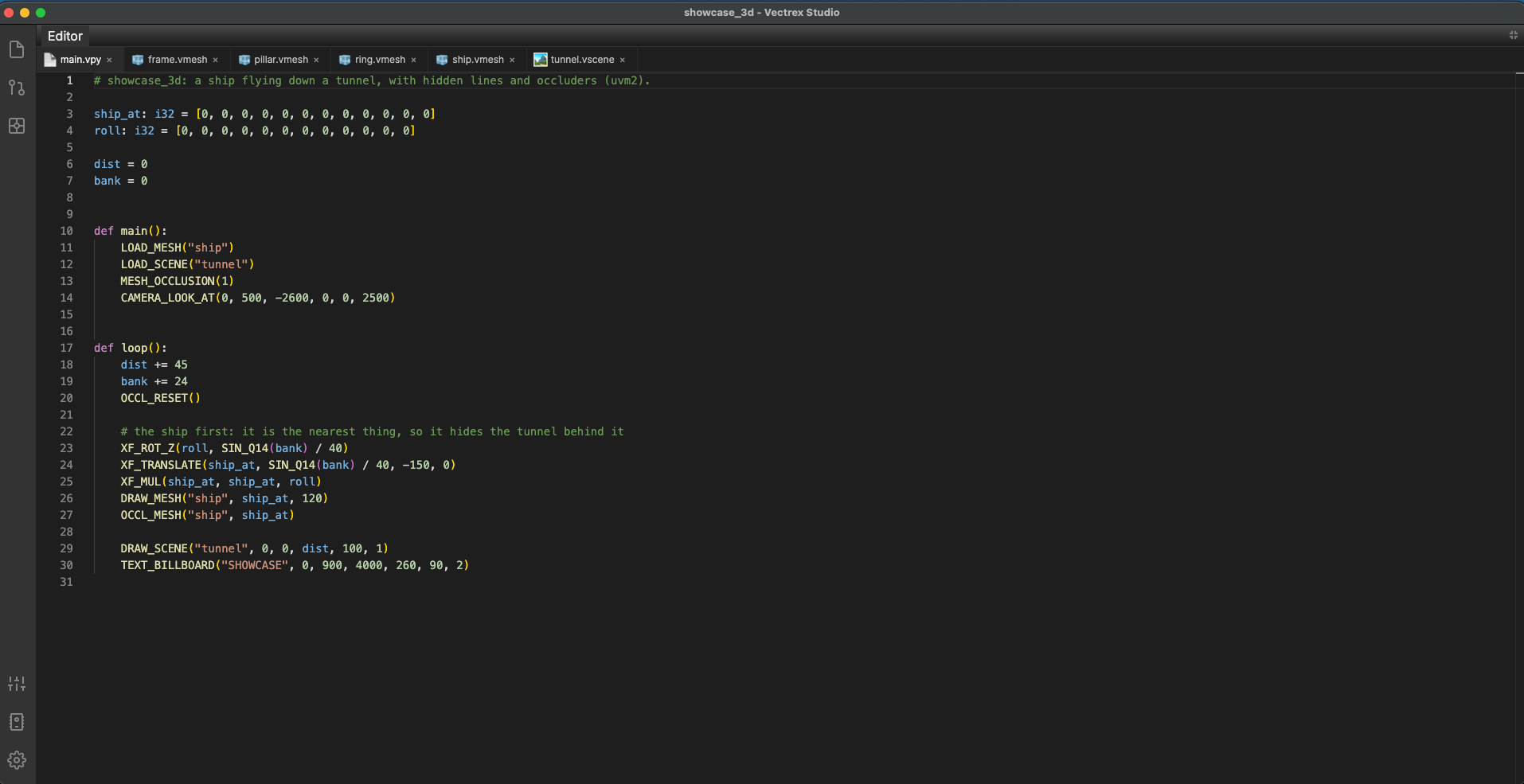
Frame control
| Function | Description |
|---|---|
SET_INTENSITY(val) | Set beam intensity (0–127) |
GET_FRAME_US() | Microseconds since the last frame sync (ARM). Always 0 on m6809 |
Drawing
| Function | Description |
|---|---|
MOVE(x, y) | Move the beam to (x, y) without drawing. Constant or variable arguments |
DRAW_LINE(x0, y0, x1, y1, intensity) | Draw a line segment |
DRAW_CIRCLE(cx, cy, radius, intensity) | Circle as a 16-segment polygon |
DRAW_CIRCLE_SEG(segs, cx, cy, radius, intensity) | Circle with 3–64 segments. m6809 only, constant arguments only |
DRAW_POLYGON(n, intensity, x0, y0, ..., xn-1, yn-1) | Closed polygon with n (3 or more) vertices |
DRAW_RECT(x, y, w, h, intensity) | Rectangle outline |
DRAW_FILLED_RECT(x, y, w, h, intensity) | Filled rectangle (scanlines) |
DRAW_ARC(segs, cx, cy, r, start_deg, sweep_deg, intensity) | Open arc |
DRAW_ELLIPSE(cx, cy, rx, ry, intensity) | Ellipse |
DRAW_BEZIER(x0, y0, cp1x, cp1y, cp2x, cp2y, x1, y1, steps, intensity) | Cubic Bézier as steps segments |
DRAW_BEZIER_QUAD(x0, y0, cpx, cpy, x1, y1, steps, intensity) | Quadratic Bézier as steps segments |
Coordinates are 8-bit signed (-128..127); intensity runs from 0 (off) to 127. m6809 lets you omit the trailing intensity of the circle, rectangle, arc and ellipse builtins; ARM does not, so always pass it.
m6809 limitation: DRAW_LINE, DRAW_CIRCLE and DRAW_RECT accept variables. DRAW_POLYGON, DRAW_CIRCLE_SEG, DRAW_ARC, DRAW_FILLED_RECT, DRAW_ELLIPSE and the Bézier builtins are expanded at compile time and need constant arguments; with variables they compile but draw nothing. ARM accepts variables for all of them.
Vector assets and animation
| Function | Description |
|---|---|
DRAW_VECTOR("name", x, y[, mirror]) | Draw a .vec asset at (x, y). A missing .vec is a compile error with the line |
DRAW_VECTOR_EX("name", x, y, mirror, intensity) | Draw a .vec with mirror and intensity override |
DRAW_VECTOR_3D("name", ax, ay, az, x, y) | Draw a 3D .vec rotated by (ax, ay, az) |
DRAW_VECTOR_ROT("name", x, y, angle[, mirror[, intensity]]) | Draw a .vec turned by angle (0–127 = one full turn, counter-clockwise) about its centre |
DRAW_ANIM("name", x, y[, mirror[, scale[, speed]]]) | Draw the current frame of a .vanim and advance it; call it every frame |
DRAW_RECORDING("name", x, y, scale, frame) | Draw frame frame of a .vrec recording; scale 128 = 100% |
mirror is 0 none, 1 flip X, 2 flip Y, 3 both.
Text and debug
| Function | Description |
|---|---|
PRINT_TEXT(x, y, "text") | Print a string (or a string variable) at a screen position |
PRINT_TEXT(x, y, "text", height, width) | Print with an explicit text size (m6809) |
PRINT_NUMBER(x, y, number) | Print a decimal number. m6809: 0–9999. ARM: -9999..9999 |
SET_TEXT_SIZE(n) | Text size for later PRINT_TEXT calls. ARM only |
MSG_DEF(id, x, y, "text") / PRINT_MSG(id) | Declare a message in a ROM table / print it |
LABEL_NUM(text, n) | text followed by n in decimal, as a string for the text builtins; four can be alive at once (listed with the uvm2 3D builtins) |
DEBUG_PRINT(value) | Debug output: the emulator's debug panel, or the IDE's build output while a cartridge is debugged |
DEBUG_PRINT_LABELED("label", value) / DEBUG_PRINT_STR("text") | Debug output with a label / a string |
Input
| Function | Description |
|---|---|
J1_X() / J1_Y() | Joystick 1 analog axes, signed (about -127..127, 0 at centre) |
J1_BUTTON_1() … J1_BUTTON_4() | 1 while the button is held (level, not edge) |
J1_BTN1() … J1_BTN4() | Short names of the above (ARM) |
J2_X() / J2_Y(), J2_BUTTON_1() … J2_BUTTON_4(), J2_BTN1() … J2_BTN4() | The same for joystick 2 |
J2_ANALOG_X() / J2_ANALOG_Y() | Raw unsigned axis byte (0–255). m6809 only |
J2_BUTTON_UP() / _DOWN() / _LEFT() / _RIGHT() | 1 while the stick is pushed that way. m6809 only |
UPDATE_BUTTONS() | Re-read the buttons now. Not normally needed |
Axes and buttons are read once per frame by code injected at the start of loop(), so calling these several times per frame is cheap. To act once per press, compare with the previous frame's value yourself. See Input.
Audio
| Function | Description |
|---|---|
PLAY_MUSIC("name") / STOP_MUSIC() | Play a .vmus / stop it |
PLAY_SFX("name") | Play a .vsfx sound effect |
PLAY_NOTE("instrument", channel, midi_note) | Play a note on a .vinstr instrument |
PLAY_SAMPLE("name") / SAMPLE_POS(fps) | Play a .vsmp sample / audio-synced frame index. rp2350 and pitrex; on uvm2 they build but do nothing; on m6809 a compile error |
beep(period, frames) | Non-blocking PSG tone (higher period = lower pitch) |
The music and SFX engine is updated every frame automatically when the program uses PLAY_MUSIC or PLAY_SFX; there is nothing to call.
Jukebox (uvm2)
Recorded music and effects off the SD card, out of the UVMC2's audio jack — the same player C games use. A track is <dir>/<ID>.PCM on the card (4-bit IMA ADPCM); the effects are one pack, <dir>/SFX.PCM, loaded whole into the cartridge's PSRAM. A new track cross-fades in. Five voices mix over the music: 0 an engine or hum, 1 yours, 2 the world, 3 voices (they duck the music), 4 things passing. The compiler calls the jukebox every frame. Where there is no jack, no PSRAM or no file, every call is silent and SFX_PCM returns 0, so the program can fall back to PLAY_SFX.
| Function | Description |
|---|---|
JUKEBOX_DIR("dir") | The card folder the tracks and SFX.PCM are in; call it in main() |
JUKEBOX_MODE(m) | How much of each frame the card may take: 0 a screen (~6 ms, default), 1 play (~2 ms), 2 a loading screen (~15 ms) |
JUKEBOX_PROGRESS() | 0..256 loading progress; 256 = ready |
JUKEBOX_LIVE() | 1 while a track is playing or loading out of the jack |
JUKEBOX_REPORT() | One line of what the audio path is doing, as a string for the text builtins |
MUSIC_TRACK("ID") | Play <dir>/ID.PCM, cross-fading; safe to call every frame. "" fades to silence |
SFX_PCM(group, voice[, gain, loop]) | A clip of group on voice; gain 256 = full, loop 1 for a hum. Returns 1 if it plays |
SFX_PCM_AT(group, voice, gain, loop, x, y, z) | The same, heard from a place in the world |
SFX_PCM_MOVE(voice, x, y, z) | Move a voice that is playing |
SFX_PCM_STOP(voice) / SFX_PCM_BUSY(voice) | Stop a voice / 1 while it plays |
LISTENER(x, y, z, fx, fz) | Where the listener is (usually the camera) and its heading on the floor |
def main():
    JUKEBOX_DIR("MYGAME")

def loop():
    MUSIC_TRACK("TITLE")
    if J1_BUTTON_1():
        if SFX_PCM(2, 1) == 0:
            PLAY_SFX("laser")      # no jack: fall back to the PSG
On rp2350 built through C the jukebox builtins compile and stay silent (JUKEBOX_LIVE() is 0).
Level system
| Function | Description |
|---|---|
LOAD_LEVEL("name") | Load a .vplay level; resets the camera to 0 |
SHOW_LEVEL() / UPDATE_LEVEL() | Render the level at the camera position / update its state |
SET_CAMERA_X(x) / SET_CAMERA_Y(y) | Set the scroll offset (16-bit signed) |
GET_CAMERA_X() / GET_CAMERA_Y() | Read it back. ARM only |
GET_SCROLL_LIMIT_LEFT() / _RIGHT() / _TOP() / _BOTTOM() | Scroll limits of the loaded level |
GET_LEVEL_FLOOR_Y() | Floor surface Y of the loaded level |
LEVEL_COLLISION_Y(x, y, half_height) | Resolve vertical collision; returns the corrected Y |
LEVEL_COLLISION_X(x, y, half_width, half_height) | Resolve horizontal collision; returns the push-out dx |
GET_LEVEL_WIDTH() / GET_LEVEL_HEIGHT() / GET_LEVEL_TILE(x, y) | m6809 only |
On m6809 the level builtins only assemble in a program that also calls LOAD_LEVEL. Levels are built in the Playground.
Enemies
i is the slot in the enemy pool. Enemy types are made in the Enemy Editor.
| Function | Description |
|---|---|
SPAWN_ENEMIES("level") | Spawn the enemies the level places (after LOAD_LEVEL) |
UPDATE_ENEMIES() / DRAW_ENEMIES() | Move / draw every live enemy; call once per frame |
GET_ENEMY_ACTIVE(i) | 1 if slot i holds a live enemy |
GET_ENEMY_X(i) / GET_ENEMY_Y(i), SET_ENEMY_X(i, x) / SET_ENEMY_Y(i, y) | Read / set the position |
GET_ENEMY_HP(i) | Hit points |
GET_ENEMY_STATE(i) / SET_ENEMY_STATE(i, state) | State-machine state (255 = no state machine) |
SET_ENEMY_DIR(i, dir) | Facing: 0 left, 1 right |
KILL_ENEMY(i) | Remove the enemy; returns how many are left |
ENEMY_FIRE_EVENT(i, "event") | Fire a state-machine event |
GET_ENEMY_AREA_IDX(i) | Walkable area the enemy stands on (255 if inactive) |
Math
| Function | Description |
|---|---|
abs(x), min(a, b), max(a, b), clamp(v, lo, hi) | Basic helpers |
sin(a) / cos(a) | Angle 0..127 covers the full circle, result -127..127 |
tan(a) | m6809 only |
atan2(y, x) | Returns 0..127. m6809 only, constant arguments only |
sqrt(x) | Integer square root |
pow(x, y) | Integer power. m6809 only |
rand() / rand_range(min, max) | Random 0..65535 / in [min, max) |
MUL_SHR(a, b, shift) | (a * b) >> shift with a 64-bit product, for fixed point. ARM only |
Utilities and SD launcher
| Function | Description |
|---|---|
wait(frames) | Busy-wait N frames. m6809: constant only |
len(array) | Length of a global or const array (compile-time constant) |
peek(addr) / poke(addr, value) | Read / write one byte. m6809: constant arguments only |
SD_FILE_COUNT() / SD_FILE_NAME(i) | Games on the SD card / name of game i (also build on m6809, with simulated data) |
DRAW_SD_PREVIEW(i, x, y, scale) | Play the preview of game i. ARM only |
LAUNCH_GAME(i) | Load game i from the card and run it. ARM only |
CALIBRATE() | Show the console calibration screen. ARM only |
3D, effects, skeletons and soft bodies
Meshes, scenes, a camera, occluders, fog, text in the world, effects, bones and cloth have their own page: 3D in VPy.
Compile Errors
Errors carry the file and the line. In a multi-file project the message names the module's file, and uses the names as you wrote them:
src/space.vpy:18: error: …
main.vpy:1: error: module `physics` not found …
enemies.vpy:7: error: `x` is not defined in module `enemies`…
Mistakes that are caught at compile time include:
- a
DRAW_VECTORof a.vecthat does not exist (every target); - a missing mesh or scene in a 3D builtin;
- a definition named like an imported module;
- a parameter spelled like a module const or global in another case;
- a const and a variable of one name, or two different definitions of one name (
struct Targetanddef target); - a loop variable that is an array or a constant;
- an unresolved module or member (
module.namewhere the module has no such symbol, or a module used withoutimport); - a call with the wrong number of arguments, or to a name that does not exist;
- an array literal element that does not fit its type, or that is not a constant;
- recursion,
u32/i32and function references on m6809.
The parser reports only the first error per file, so fix them one at a time. The editor's diagnostics come from the compiler's own parser, so they match the build. Build output is covered in Compiler & Build Targets.
Language Rules and Gotchas
Case-insensitivity
INTENSITY, intensity and Intensity are the same identifier, so builtin names can't be used as variable names:
intensity = 50       # ERROR: 'intensity' is a built-in
brightness = 50      # fine
Common conflicts: intensity, sin, cos, tan, min, max, abs, clamp, move. A function of your program with a builtin's name is used instead of the builtin. A struct may share its name with a variable (ship = Ship[4]).
Indentation and line continuation
Exactly 4 spaces per block level; tabs are not allowed. As in Python, a line inside an open ( or [ continues onto the next, whose indentation does not count:
FX_SHATTER("wing", wing_xf, vx, vy, vz, x, y, z,
           2200, TURN, 45, 120)

const PATH = [
    -40, 10,
     40, 10,
]
Comments
# This is a comment
x = 42  # inline comment
Block comments ("""...""") are not supported.
Which Target Supports What
| Feature | m6809 | rp2350 | uvm2 | pitrex |
|---|---|---|---|---|
u8 i8 u16 i16, typed and N-D arrays, structs, enums, shifts, len() | yes | yes | yes | yes |
u32 / i32 | compile error | yes | yes | yes |
| Arithmetic width | 16-bit | 32-bit | 32-bit | 32-bit |
| Recursion | compile error | yes | yes | yes |
| Function references | compile error | yes | yes | yes |
| String tables | yes | const only | const only | const only |
MUL_SHR, SET_TEXT_SIZE, J1_BTN1…, GET_CAMERA_X/Y | no | yes | yes | not stated |
tan, pow, atan2, DRAW_CIRCLE_SEG, J2_ANALOG_X/Y, GET_LEVEL_TILE | yes | no | no | not stated |
PLAY_SAMPLE / SAMPLE_POS | compile error | yes | builds, silent | yes |
| Jukebox | not stated | compiles, silent (C backend) | yes | not stated |
| 3D, effects, skeletons, soft bodies | compile error | with [rp2350] backend = "c" | yes | compile error |
The builtin marks in the manual cover m6809 and ARM (rp2350, uvm2); the PiTrex has its own backend, so "not stated" means the manual does not say.
Known Limitations
- Struct methods and whole-struct values are compile errors; pass an element's index.
vectorlistblocks are parsed but no backend emits code for them. Use.vecassets andDRAW_VECTOR.- Inline assembly:
asm("...")is not implemented on any backend. - Recursion on ARM has no stack overflow protection.
J2_DIGITAL_X()/J2_DIGITAL_Y()don't assemble on m6809; useJ2_X()with a threshold.- Removed or never implemented:
DRAW_TO(x, y)(useDRAW_LINE),SET_SCALE(),GET_TIME()(keep your own frame counter),fade_in()/fade_out()(vary the intensity you pass instead), and a user-callableMUSIC_UPDATE().