
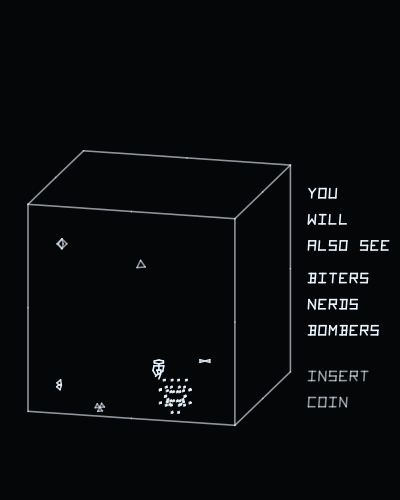
Playablev1.1
QB-3
Rock-Ola · 1982
by Daniel Ferrer
Its sound board emulated through the jack -- Demon's board, its Z80 and three AYs, running QB-3's own sound program -- and the twin sticks on one pad.
Runs on
- UVMC2✓
- Debug Cart✓
- Simulator✓
- Tested on hardware✓
Audio
- Music (PSG)–
- PCM–
- Jack✓
- Speech–
Details
- Original hardware
- Rock-Ola CCPU
- Romset
- roms/qb3.zip
- Controls
- The stick moves. The four buttons fire left, up, down and right. Buttons 1 and 2 together insert a coin, 3 and 4 together start. On the web: Z, X, C, V and the arrow keys.
- Analog controls
- –
- Last update
- 2026-11-08
Changelog
- v1.12026-11-08
- The romset can live in any folder of the card. The game looks in .roms/, then roms/, then searches the whole card, and remembers where it found it (.conf/<romset>.loc), so the next start goes straight there; if it is moved, it is searched for again.
- Settings go in .conf/ and romsets in .roms/: the UVMC2's menu hides folders whose name starts with a dot, so the card shows only the games. A card set up before keeps everything: the old config/ and roms/ are still read, and nothing is written to them any more.
- Without the romset on the card the screen says ROM FILE NOT FOUND and the name of the zip it wants.
- v1.02026-11-05
- First release.
- Sound through the jack, which AAE never wired: the board is Demon's (a Z80, a CTC and three AY-3-8910s), emulated, running QB-3's own sound ROM with MAME's patch to it. The game sends it its commands with the CCPU's OUT 4, into the board's FIFO.
- The twin sticks on one pad: the cabinet's left stick moves and its right one fires in its direction; here the stick moves and the four buttons fire left, up, down and right. The coin and START are pairs of buttons.
- The cabinet's switches as MAME ships them, the service switch off.
- The buttons count once they have been let go after power-on.
- The picture fitted to the tube, its field measured on everything the game draws, at the game's 38 Hz.
- An options screen at start, after the Vectrex Studio intro: screen vertical or horizontal, refresh, brightness, controls (the buttons can be remapped, and the choice is saved) and calibration.