
Playablev1.1
Lunar Lander
Atari · 1979
by Daniel Ferrer
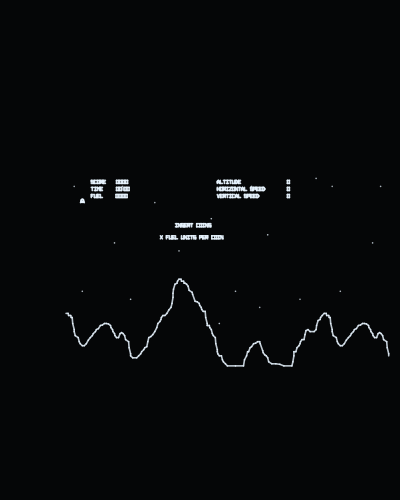
Its analogue sound board through the jack, built as MAME's own model of it; the thrust on a button, the mission shown on screen, bigger letters, and the picture fitted horizontal.
Runs on
- UVMC2✓
- Debug Cart✓
- Simulator✓
- Tested on hardware✓
Audio
- Music (PSG)–
- PCM–
- Jack✓
- Speech–
Details
- Original hardware
- Atari 6502, DVG
- Romset
- roms/llander.zip
- Controls
- The stick turns. Button 1 is the thrust (it builds up while held, as MAME's key does), button 2 aborts, button 3 selects the mission on a tap and starts held for half a second, button 4 inserts a coin. The stick up also thrusts, in proportion. On the web: Z, X, C, V and the arrow keys.
- Analog controls
- ✓
- Last update
- 2026-11-08
Changelog
- v1.12026-11-08
- The romset can live in any folder of the card. The game looks in .roms/, then roms/, then searches the whole card, and remembers where it found it (.conf/<romset>.loc), so the next start goes straight there; if it is moved, it is searched for again.
- Settings go in .conf/ and romsets in .roms/: the UVMC2's menu hides folders whose name starts with a dot, so the card shows only the games. A card set up before keeps everything: the old config/ and roms/ are still read, and nothing is written to them any more.
- Without the romset on the card the screen says ROM FILE NOT FOUND and the name of the zip it wants.
- v1.02026-11-05
- First release.
- Sound through the jack, which it never had here: the board's analogue circuit as MAME models it -- the 12 kHz noise, the thrust's band-pass and the explosion, the 3 and 6 kHz tones -- block by block, at MAME's level (measured on MAME's own writes replayed: correlation 0.98).
- The thrust works as a pedal should: button 1 builds it up while held, the stick up gives it in proportion. It used to sit at half with the stick at rest.
- The coin registers: its line is active low and was idling as if a coin were held.
- The cabinet's switches read as MAME reads them: 750 fuel units a coin and the right coin at x1. They came out as 450 and x4, with the tilt switch held.
- The chosen mission is written on screen -- under the choosing screen's text, and at the top while playing. The cabinet showed it only on its panel's lamps.
- The letters 1.4x bigger, each word about its own centre; the lander and the terrain keep their size.
- The picture is MAME's visible area, measured on a MAME snapshot, shown horizontal 4:3.
- An options screen at start, after the Vectrex Studio intro: screen vertical or horizontal, refresh, brightness, controls (the buttons can be remapped, and the choice is saved) and calibration.