
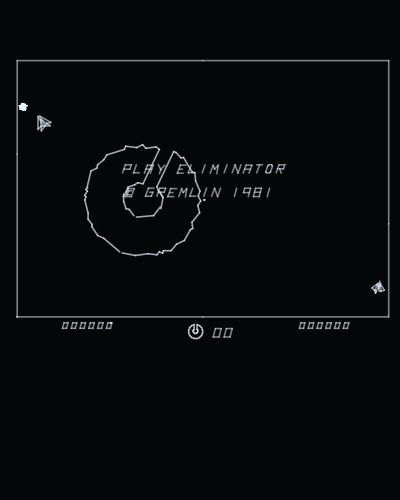
Playablev1.1
Eliminator
Gremlin · 1981
by Daniel Ferrer
Runs at 40 Hz with its sound board through the jack: recordings of MAME's own circuit-by-circuit emulation of the board, started where the game starts them.
Runs on
- UVMC2✓
- Debug Cart✓
- Simulator✓
- Tested on hardware✓
Audio
- Music (PSG)–
- PCM–
- Jack✓
- Speech–
Details
- Original hardware
- Sega G80: Z80 (mz80)
- Romset
- roms/elim2.zip
- Controls
- The stick left and right turns. Button 1 fires, button 2 thrusts, button 3 inserts a coin, button 4 starts. On the web: Z, X, C, V and the arrow keys.
- Analog controls
- –
- Last update
- 2026-11-08
Changelog
- v1.12026-11-08
- The romset can live in any folder of the card. The game looks in .roms/, then roms/, then searches the whole card, and remembers where it found it (.conf/<romset>.loc), so the next start goes straight there; if it is moved, it is searched for again.
- Settings go in .conf/ and romsets in .roms/: the UVMC2's menu hides folders whose name starts with a dot, so the card shows only the games. A card set up before keeps everything: the old config/ and roms/ are still read, and nothing is written to them any more.
- Without the romset on the card the screen says ROM FILE NOT FOUND and the name of the zip it wants.
- v1.02026-11-05
- First release.
- Sound through the jack, which the game never had here. The board is analogue, so its twelve sounds are recordings of MAME's netlist of it, each started and stopped exactly when the game drives the board; the level matches MAME's measured over a game (ratio 1.00).
- Runs at 40 Hz, at 300 MHz: at 150 some frames already ran late.
- Every vector visible: a coloured one is as bright as a white one, and the board's three colour levels are the Vectrex BIOS's own intensity steps. The dimmest were barely visible before.
- The cabinet's switches as MAME has them (they read 0: cocktail cabinet and odd lives), and the Z80 at the board's own 3.87 MHz instead of 3.0.
- The picture fitted to the screen.
- An options screen at start, after the Vectrex Studio intro: screen vertical or horizontal, refresh, brightness, controls (the buttons can be remapped, and the choice is saved) and calibration.