
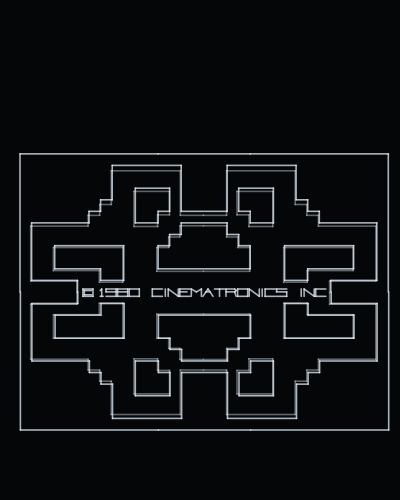
Playablev1.2
Armor Attack
Cinematronics · 1980
by Daniel Ferrer
Plays on the console at the arcade's own 38 Hz, with the cabinet's sounds through the jack. An options screen at start sets the screen orientation, the refresh and the brightness.
Runs on
- UVMC2✓
- Debug Cart✓
- Simulator✓
- Tested on hardware✓
Audio
- Music (PSG)–
- PCM–
- Jack✓
- Speech–
Details
- Original hardware
- Cinematronics CCPU
- Romset
- roms/armora.zip
- Controls
- Button 3 inserts a coin, button 4 starts; button 1 fires, button 2 drives forward, the stick left and right turns. On the web: C, V, Z and X, and the arrow keys.
- Analog controls
- –
- Orientation
- Horizontal game: drawn rotated 90°
- Last update
- 2026-11-08
Changelog
- v1.22026-11-08
- The romset can live in any folder of the card. The game looks in .roms/, then roms/, then searches the whole card, and remembers where it found it (.conf/<romset>.loc), so the next start goes straight there; if it is moved, it is searched for again.
- Settings go in .conf/ and romsets in .roms/: the UVMC2's menu hides folders whose name starts with a dot, so the card shows only the games. A card set up before keeps everything: the old config/ and roms/ are still read, and nothing is written to them any more.
- Without the romset on the card the screen says ROM FILE NOT FOUND and the name of the zip it wants.
- v1.12026-11-05
- Built with uvmc2-sdk v1.4.12: the Vectrex Studio intro and the options screen at start, which 1.0 did not show, and the frame filler that fits the refresh period.
- v1.02026-11-04
- The controls respond: the cabinet's switches were read as all on, which turned Service Mode on and left the game on a fixed screen.
- Sound, through the jack: the cabinet's sound circuits as the seven recordings MAME plays, embedded in the game and mixed at MAME's balance.
- Runs at the arcade's own 38 Hz; at 50 it played a third too fast.
- The buildings and walls (the cabinet's plastic overlay) drawn at the game's own dim level; they were barely visible.
- An options screen at start: screen vertical or horizontal, refresh, brightness and calibration.