
v0.4 is, by a wide margin, the largest release Vectrex Studio has had. Between v0.3.0 and today there are more than a hundred and twenty changes, and they reach every corner of the project: the compiler, the language, the IDE, the emulators, the SDK, the build system and the platforms it runs on.
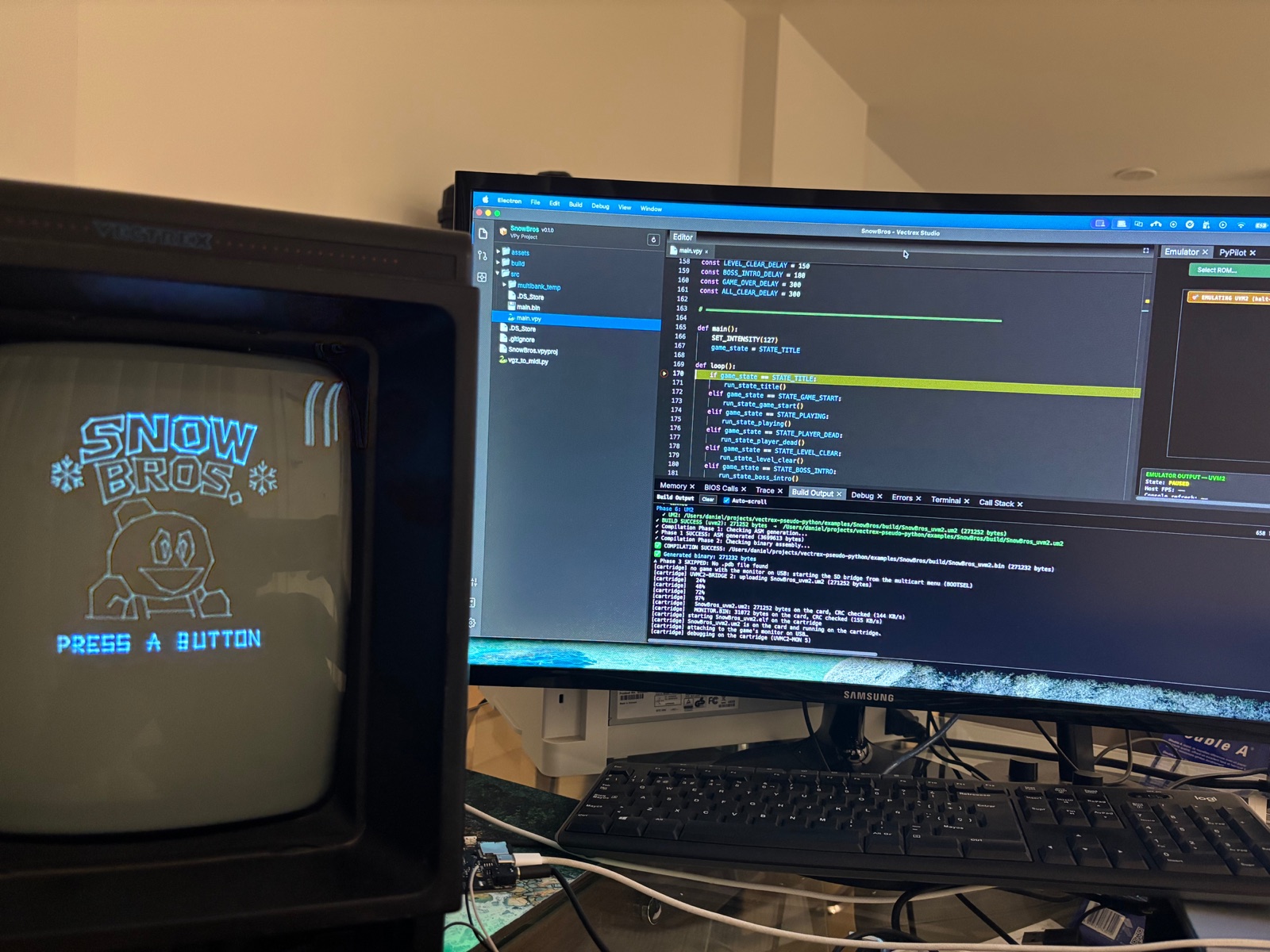
The common thread is real hardware. v0.3 already ran games on the RP2350 cartridge, the PiTrex and the UVMC2, on the old SDK, which was not optimised. In v0.4 the RP2350 and the UVMC2 move to the new SDK — much faster, and debuggable on the console — and the IDE can put a game on the cartridge and debug it there, with breakpoints, over a plain USB cable.
This post walks through everything. It is long — grab a coffee.
PiTrex in v0.4: PiTrex ran in v0.3 on the old SDK. It has not been tried on hardware with the new one yet, so how it behaves there is still an open question; a later release will settle it.
The SDK is now separate, versioned and updatable
Until v0.3 the runtime that ARM games link against shipped inside the IDE. Updating it meant releasing a new IDE, and every project on your machine moved to the new runtime at once, whether it was ready or not.
In v0.4 the SDK lives in its own repository, uvmc2-sdk, with its own releases. Each project says which SDK release it is built with, in a small [sdk] table in its .vpyproj or .cvproj:
[sdk]
version = "v1.3.2"          # uvmc2-sdk release (UVM2 / PiTrex / C builds)
The first time a project needs an SDK release that is not on your machine, the IDE downloads it into ~/VectrexStudio/sdk/<version>/. No git is needed: it fetches the release archive, checks it, and only then marks the install as complete, so an interrupted download never leaves a half-installed SDK behind.
This changes how you work in three ways:
- A project keeps building the way it built yesterday. Upgrading the SDK for one game does not move any other game. Two projects on two different SDK releases build side by side.
- SDK fixes reach you without a new IDE. When a new SDK release comes out, you change the pin and rebuild.
- Projects without a pin get one. An old project with no
[sdk]table is pinned to the latest release the first time it builds, and the IDE writes that into the file and says so in the log. New projects and imported C projects start pinned to the latest release.
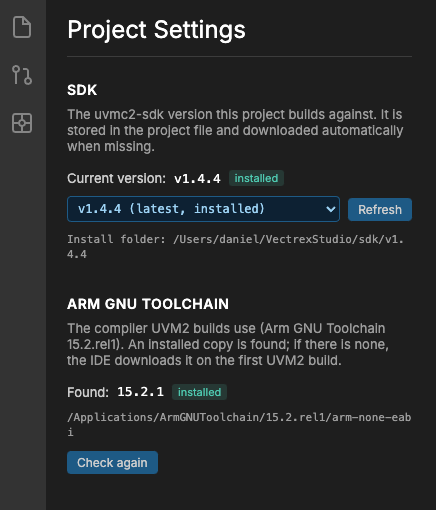
Project Settings
The new Project Settings panel shows the version the open project is pinned to, lists the releases installed on your machine and the ones published on GitHub, and changes the pin with one click — downloading the release, with progress, if you don't have it. Changing the pin rewrites only the [sdk] table, so your comments and layout in the project file are kept. The same panel shows the state of the Arm toolchain.
The details that make it safe
- Build folders made with another SDK are cleaned up. When you change SDK versions, the build folders made with the old one would otherwise confuse CMake. The IDE notices, says
is stale … Deleted, the build recreates it, and starts fresh. - A hand-edited SDK is called out. If an installed SDK has been changed by hand, every build against it prints a warning: it will build on your machine and nowhere else, because another machine downloads the published release. The fix is to publish a release and pin to it.
- Which projects need it. Classic 6809 VPy games do not need the SDK at all. UVM2 builds and every C project do; PiTrex uses it optionally.
- Outside the IDE, command-line builds take the SDK from
UVMC2_SDK, or from a release the IDE already installed:
UVMC2_SDK=~/src/uvmc2-sdk vpy_cli build mygame.vpy --target uvm2The rest of the toolchain, downloaded for you too
UVM2 builds use Raspberry Pi's pico-sdk. The IDE downloads the exact version the SDK release asks for (2.2.0 today) into ~/VectrexStudio/pico-sdk/ — complete, with all its submodules (TinyUSB, lwIP, BTstack, mbedTLS, cyw43), the same tree a git clone --recursive would give you. An older install without them is downloaded again automatically.
The Arm GNU Toolchain 15.2.rel1 is now the only compiler version used for ARM builds, so a game is the same size on every machine. If you have it installed, the IDE finds it; if not, it downloads it once (about 150 MB, checked against a pinned SHA-256). Other versions are listed in Project Settings with the reason they are not used.
The UVMC2 multicart: a full target
The Ultimate Vectrex Multicart 2 (UVMC2) is an RP2350-based multicart for the Vectrex. In v0.3 it already ran games, on the old SDK. In v0.4 it moves to the new SDK and becomes the most capable target Vectrex Studio has.
The UVMC2 offers no BIOS and no API to build on, so Vectrex Studio brings its own: the game halts the console's 6809 and drives the Vectrex's VIA chip directly, in lock-step with the console's 1.5 MHz bus clock. A game is a .um2 file the multicart loads from its SD card.
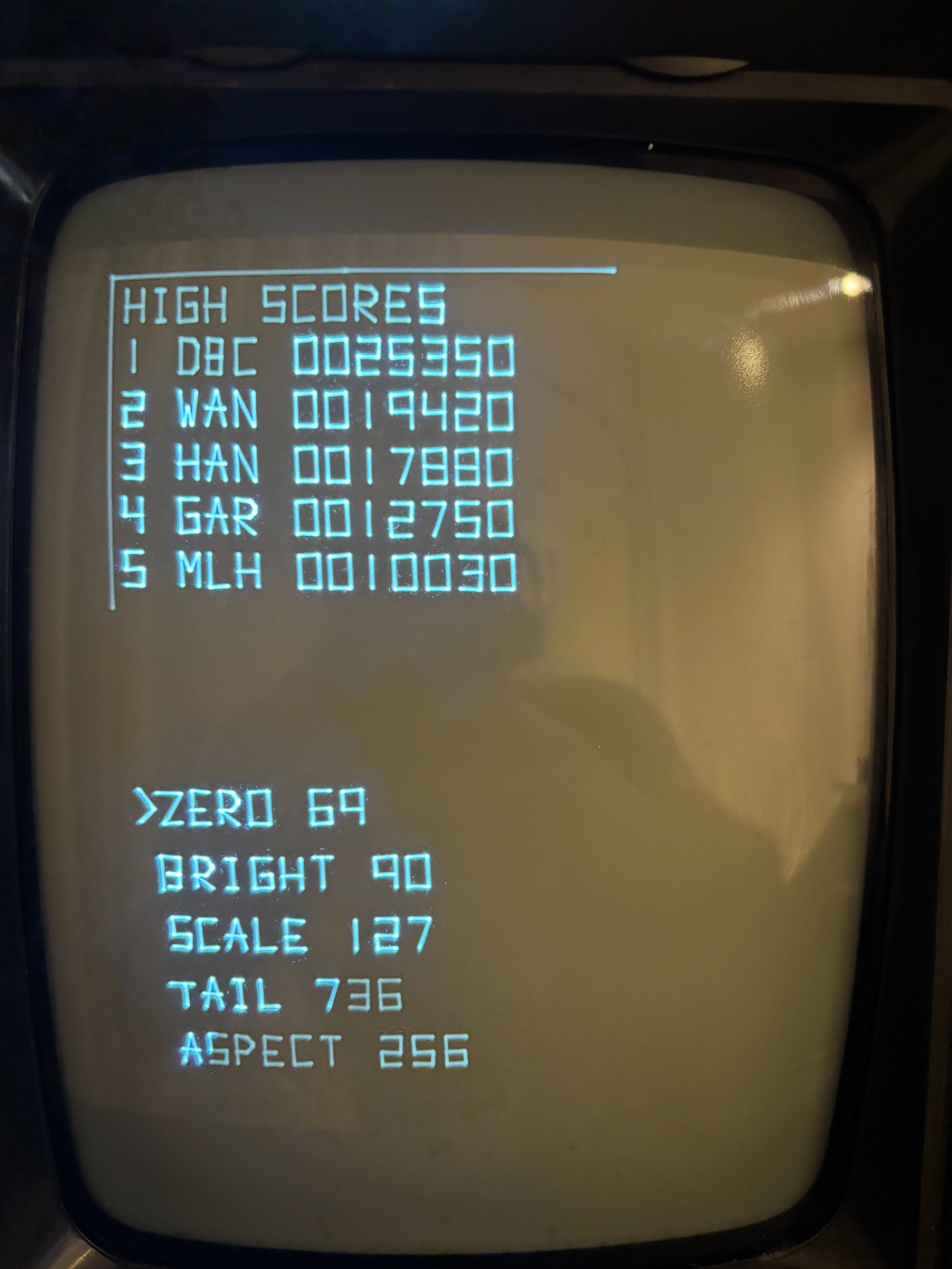
What the UVMC2 runtime gives a game:
- Both cores, PIO and DMA. One core runs the game while the other draws. The whole frame's drawing commands go out to the console as a single DMA transfer through the RP2350's PIO, so the beam is never waiting on game code.
- Per-game refresh rate: 50 Hz, 60 Hz, or as fast as the frame allows.
- Games linked in PSRAM, for games far larger than the SRAM.
- Files on the SD card: games read their own data — and can now write files too.
- A 16-bit audio jack, with sample streaming, and 90° display rotation for games designed for a vertical screen.
- Per-console calibration. Every Vectrex is slightly different. A calibration wizard (the wheel screen, opened with buttons 2+3) tunes the console once; the settings of each game are stored separately, in
UVM2.CFG, so calibrating your console never touches a game's settings. Games can also callCALIBRATE().
VPy games target it with target = "uvm2" in the .vpyproj, and C projects with a few lines in their Makefile (more on that below).
Upload to Cartridge: from the IDE to the console in seconds
Build → Upload to Cartridge (UVMC2, USB) puts the game you are working on into the cartridge and starts it. Connect the UVMC2 to your computer with a USB cable — that is all. No card reader, no swapping SD cards.
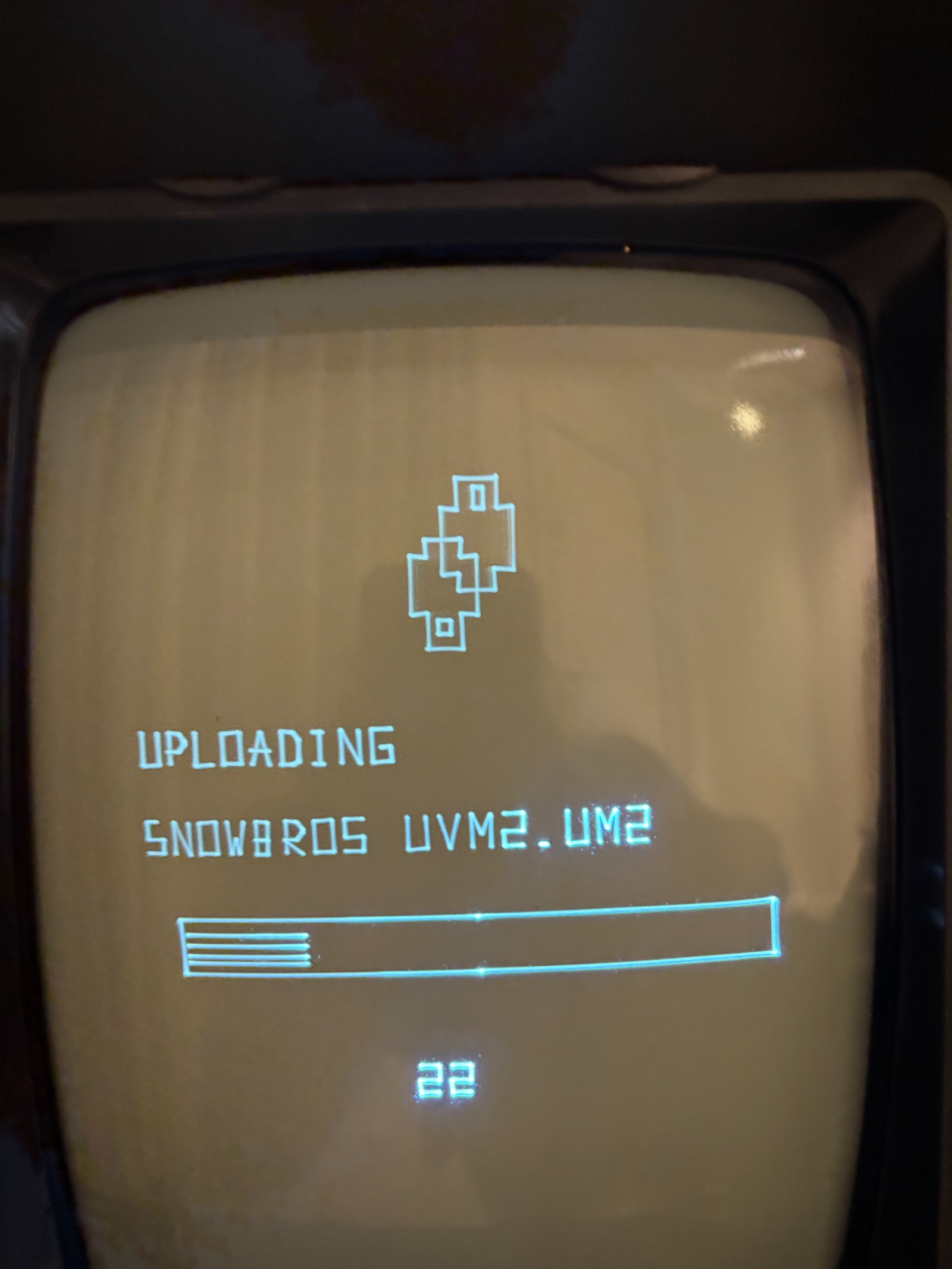
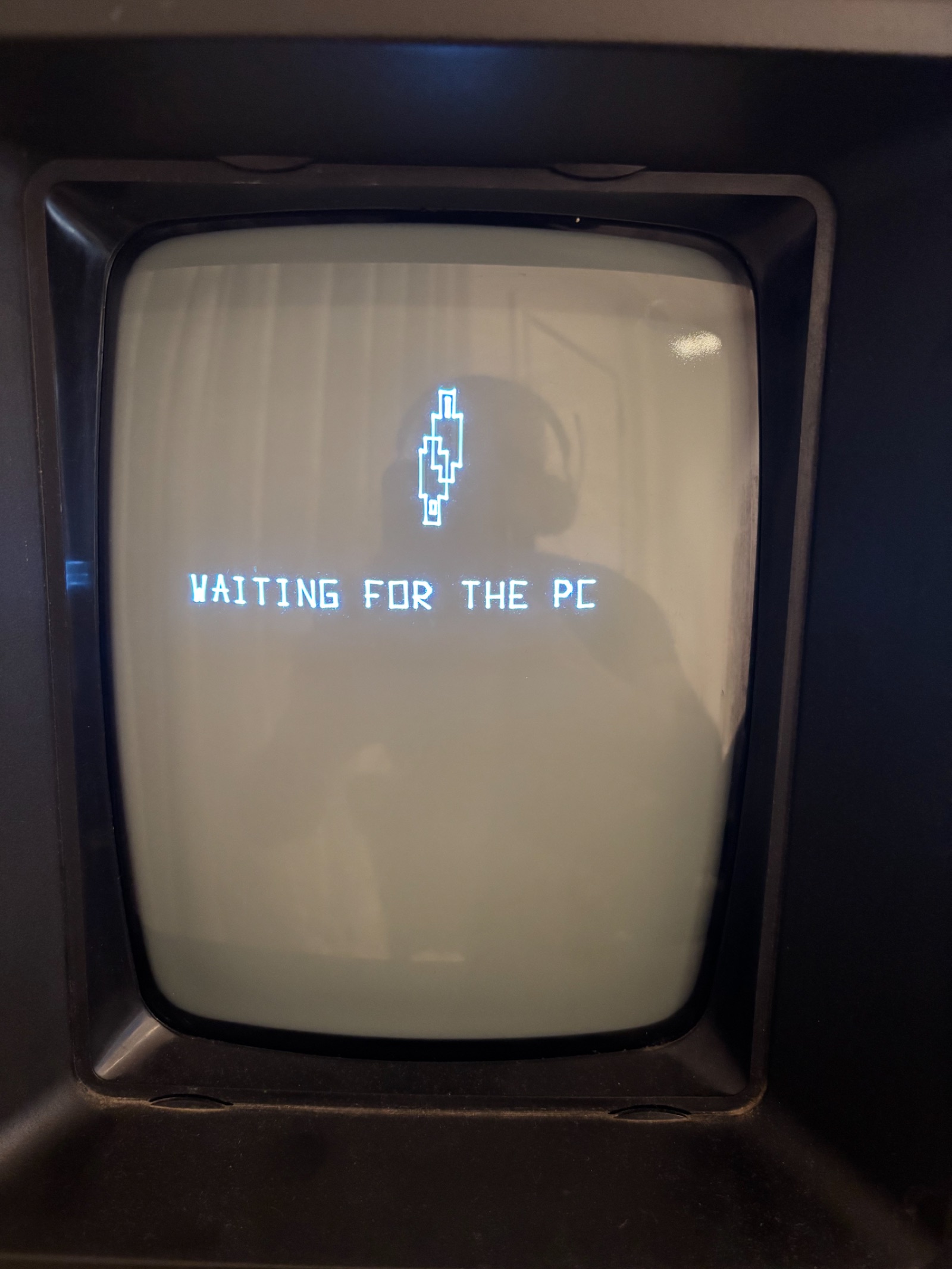
What happens behind that menu item:
- The IDE builds the game with a small USB monitor linked in (about 2 KB of SRAM).
- It copies the
.um2onto the cartridge's SD card over USB and checks every file with a CRC-32. - It loads the game straight into the RP2350's RAM, so the game starts the moment the upload ends. It also stays on the card, in the multicart's menu, for later.
The whole round trip takes about five to seven seconds. It works from both states the cartridge can be in: if a game with the monitor is already running, the monitor answers; if the cartridge is sitting in the multicart menu, the IDE starts a small RAM-only SD bridge — the cartridge's flash is never touched. Either way the console shows an upload screen with a turning logo, the game's name and a progress bar.
Debugging on every target
v0.4 brings a real debugger to every target, from the 6809 in the emulator to a game running on the console.
On the cartridge, over USB
This is the headline feature. With a UVMC2 target, Debug → Debug on Cartridge uploads the game, starts it on the console, and attaches the IDE's debugger to it. No debug probe and no extra wiring: the same USB cable you use to upload.

You get the debugger you would expect on a PC:
- Breakpoints in your source files, Step Over / Into / Out (F10, F11, Shift+F11), Continue and Pause.
- The call stack, variable values on hover, and Change Value — including the CPU registers.
- The game's text output:
DEBUG_PRINTandvpy_loglines arrive over the same cable and show up in the build output.
While the game is paused, the console keeps showing the last picture, with a pause sign in the top-right corner. Stop Debugging — or simply closing the IDE — removes the breakpoints and leaves the game running.
How it works: the game is built with a debug monitor that uses the Cortex-M33's monitor-mode debug. A breakpoint or a step does not freeze the chip; it enters a debug exception where the core waits while the USB interrupt keeps answering the IDE. The monitor also offers a second USB port speaking gdb's remote protocol, so you can attach arm-none-eabi-gdb directly if you prefer.
Two limits to know: breakpoints work from the game's first frame on, and only the core running the game (core 0) is debugged. VPy games need SDK v1.4.5 or later: pin the project to it in Project Settings.
On the RP2350 debug cartridge, over SWD
Our RP2350 development cartridge can be debugged the classic way: a Raspberry Pi Debug Probe (or any CMSIS-DAP probe) on its SWD header and probe-rs. The same Debug on Cartridge menu item builds the game, writes it into the cartridge's PSRAM and launches it through the menu; the same breakpoints, steps, call stack and hover work, and the game's text is read from its RTT buffer.
In the emulator
- 6809 games: breakpoints and stepping now work in every file of the project, not only
main.vpy— and a breakpoint atmain.vpy:10no longer stops atutil.vpy:10. Step Over skips anifbody that is not taken. The call stack is rebuilt from the return addresses on the 6809 stack and names each frame with its file and line. Change Value writes a variable while paused. - ARM games (RP2350 and UVM2) are debugged from the editor too, using the line table the compiler now emits. The call stack is unwound from the ELF's debug information and shown with VPy names.
- gdb: while the IDE runs, the emulator listens for
arm-none-eabi-gdbon port 3333.break util.vpy:5,bt,stepi,x,info registers— all against the emulated cartridge. - Hover values everywhere: globals, arrays, struct fields, and the locals of the functions on the call stack.
New panels
The Call Stack is now its own panel (it used to be a section of the Debug panel), and it opens by itself on the first stop. The BIOS Calls panel, which shows which Vectrex BIOS routines a game calls and how often, is back in the View menu, which now lists every panel in alphabetical order.
C and C++ projects
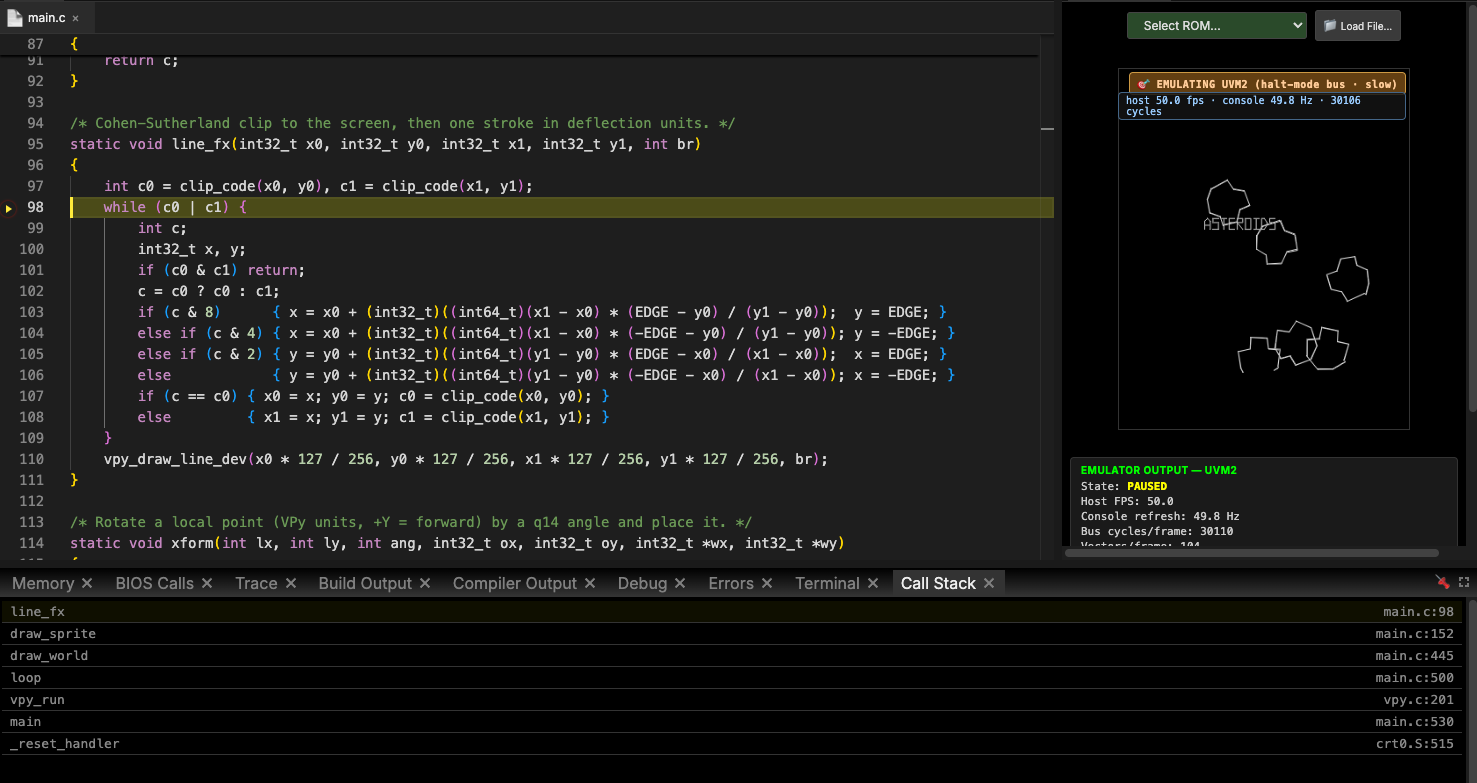
Vectrex Studio is no longer a VPy-only environment. C and C++ projects are first-class: they build for the RP2350 cartridge, the UVMC2 and the in-IDE WASM simulator, and they get the same editor, emulator, upload and debugger as VPy.
Creating or importing one
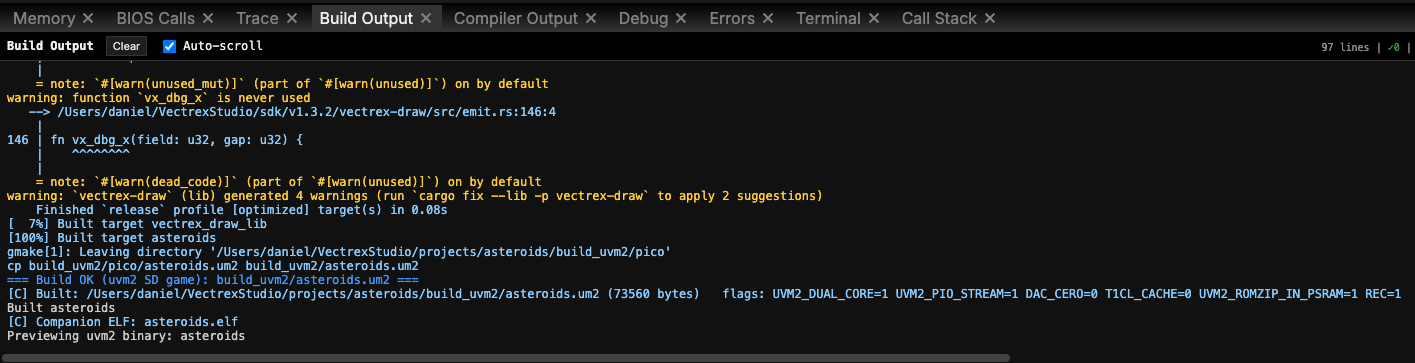
File → New → Project with the language C (SDK) creates a project with a .cvproj, a Makefile and a src/main.c, pinned to the latest SDK. To bring in an existing C game, import its folder: if it already has a .cvproj, that is the one opened. Shift+F5 runs it in the WASM simulator; the targets rp2350 and uvm2 build it for the cartridges.
Adding the UVMC2 to an existing C game takes a few lines of Makefile: name the game and its sources, then include the SDK's recipe:
UVM2_NAME = mygame
UVM2_SRCS = src/main.c
include $(UVM2_SDK)/uvm2.mk
One runtime for VPy and C
The VPy builtins are now implemented once, in C, in a runtime called libvpy — and both VPy programs and C games link it. A C game uses the same calls you know from VPy:
#define VPY_SHORT_NAMES
#include <vpy.h>

static void setup(void) { }

static void loop(void)
{
    int btn1 = vpy_j1_button(1);
    PRINT_TEXT(-60, 80, "BTN1");
    PRINT_NUMBER(0, 80, btn1);
    if (btn1 == 1) DRAW_CIRCLE(-40, 0, 10, 80);
}

int main(void) { vpy_run(setup, loop); return 0; }
vpy_run() owns the frame: it waits for the beam, reads the controls and sends the drawing. Coordinates are VPy's (-127..127, +Y up). Drawing, text, joysticks, music, sound effects, levels and the math helpers are all there, and the assets you make in the IDE compile to C headers.
The repository includes 22 C examples (examples/individual_tests_c) — C versions of the VPy tests, from draw_line to scrolling_level and play_music.
An editor that understands C
- clangd drives completion and diagnostics, and its quick fixes now appear in the light bulb.
compile_flags.txtfollows the pinned SDK: change the SDK version and the editor sees the new headers, including the generated asset headers ingen/.- While paused, hovering a variable shows its value next to clangd's own hover — locals and parameters (even of an inlined function), globals and file statics,
s.fieldandarr[i].field. - Breakpoints and stepping work in your C files on RP2350 and UVMC2, and Step Into goes down into the SDK and libvpy.
VPy through C
The same C runtime opens a new way to build VPy: with [uvm2] backend = "c", the compiler writes the whole VPy program as C and builds it with gcc against libvpy. On a large game we measured 224 KB of code instead of 323 KB with the direct ARM backend — the difference between a game that fits its levels and one that doesn't. RP2350 VPy games can build through C too ([rp2350] backend = "c"), and that brings them the 3D, effects and jukebox builtins.
3D: meshes, scenes and skeletal animation
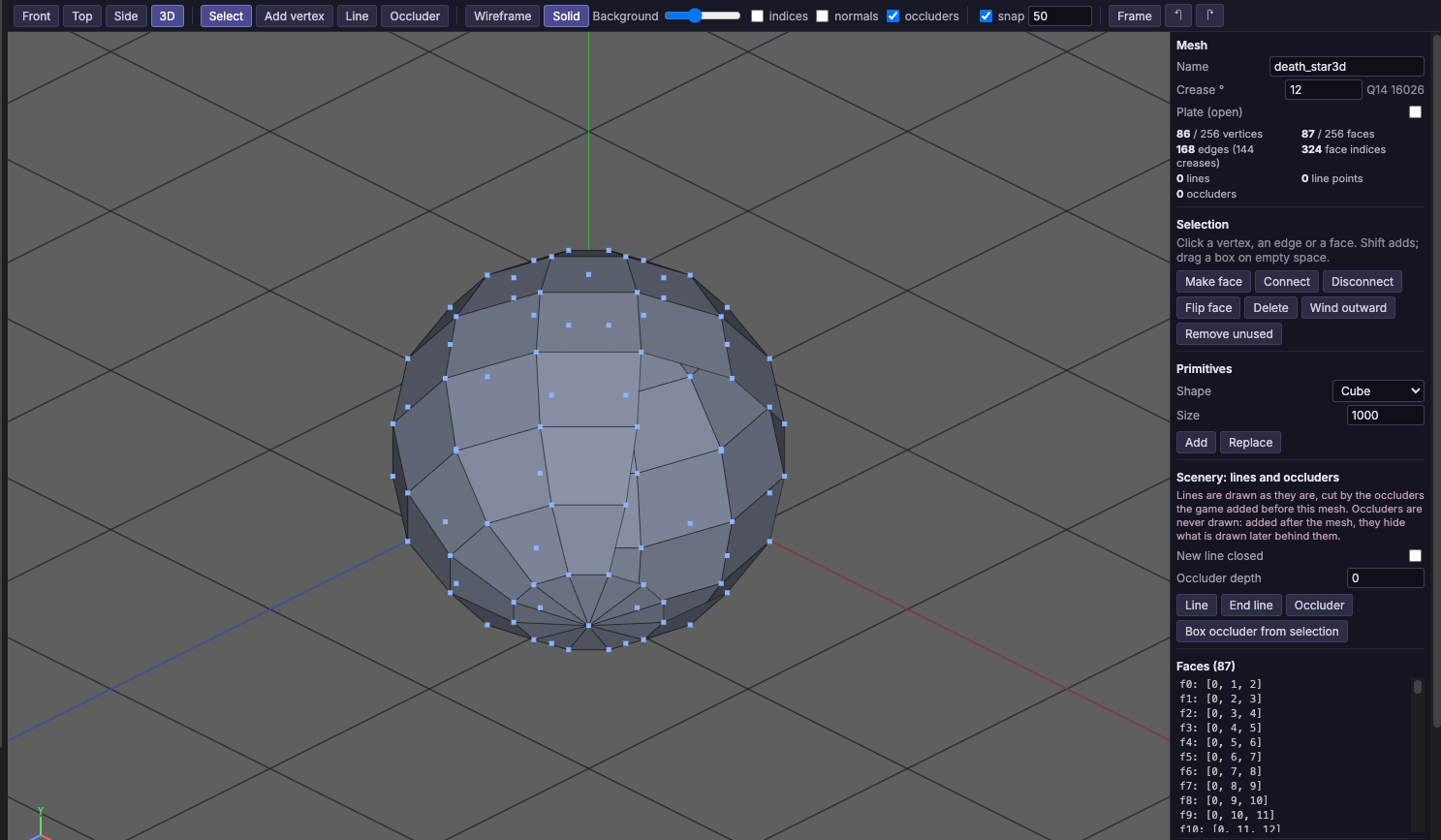
v0.4 adds a complete 3D pipeline for the UVMC2: models, scenes, skeletons and animation clips, each with its own editor, and a set of builtins that draw them in perspective, with hidden-line removal, occluders and fog.
The formats
.vmesh— a model: vertices and faces, or lofted from cross-sections (which can take their outline from a.vec). Version 2 adds scenery lines (polylines, never culled, with their own brightness and fog) and occluders (invisible convex solids that hide whatever is drawn behind them — the cheapest way to make a wall hide what is behind it)..vscene— a scene assembled from.vmeshpieces: placed, repeated, following the camera for parallax, appearing only within a window of depth, with fog and up to 32 groups you can switch on and off..vskel— a skeleton: a tree of rigid bones, each carrying a.vmesh, turned by named joints. Sockets mark where a hand holds something or a shot leaves; variants let several characters share one skeleton with a different scale or parts..vclip— animation for a skeleton: named poses, clips (keyframes on a 50 fps timeline, looping, with event marks), and sets (a clip per role and a pose per stance, per character).
All of them compile to constant tables usable from both VPy and C.
The editors
The Mesh Editor has front, top, side and 3D views, vertex and face editing, primitives (cube, pyramid, grid, cylinder), undo/redo and live validation against the compiler's rules. New tools draw scenery lines (L) and occluders (O), or build a box occluder from the selection (B).
The 3D Animation editor handles .vskel and .vclip in one place, in the spirit of Unreal's Persona or Unity's Animation window. The viewport draws the character the way the console will — hard edges facing the camera and the outlines of smooth surfaces — with bones in blue and sockets in red. Poses have one slider per joint; clips have a timeline with play, scrub, draggable keys, "key at frame" and onion-skin ghosts; sets assign clips and poses per character.
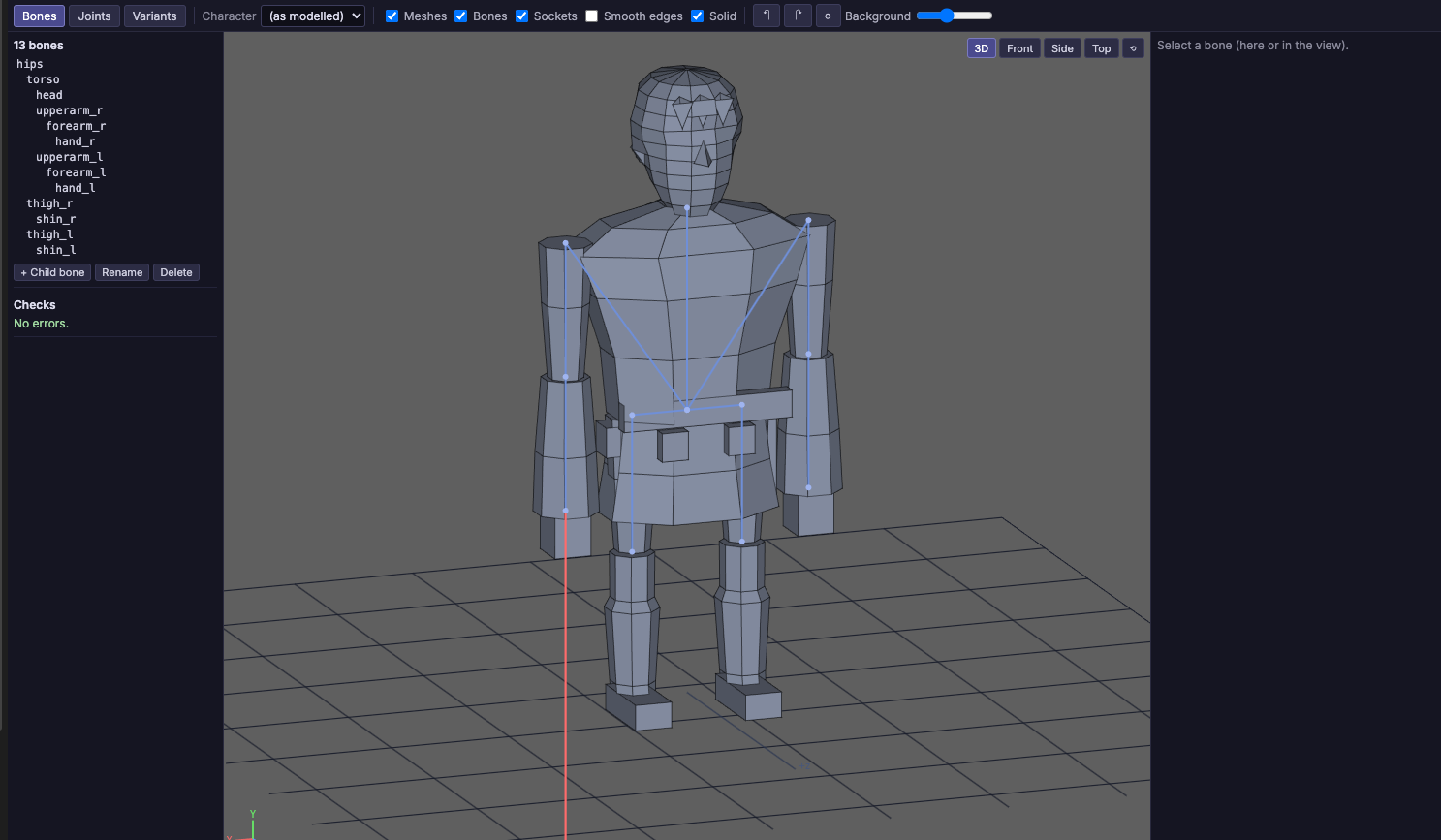
Both 3D editors can show a model in wireframe or solid: solid mode fills the faces back to front, lit from the viewer, in their face colours when the file has them, and outlined. A shared background-grey slider, free orbit around the screen's axes (so a model can be seen from above and below), and — in the Mesh Editor — clicking edges and pressing Delete to dissolve them, merging the faces either side with their colours.
Drawing it
pose: i32 = [0, 0, 0, 0, 0, 0, 0, 0, 0, 0, 0, 0]
spin: i32 = [0, 0, 0, 0, 0, 0, 0, 0, 0, 0, 0, 0]

def main():
    LOAD_MESH("ship")
    CAMERA_LOOK_AT(0, 0, -2000, 0, 0, 0)

def loop():
    XF_ROT_Y(spin, angle)                 # 4096 = one turn
    XF_TRANSLATE(pose, x, y, z)
    XF_MUL(pose, pose, spin)              # spin first, then move
    DRAW_MESH("ship", pose, 110)
Transforms are 12-element i32 arrays (a rotation, then a translation); angles go 4096 to a turn. Beyond meshes:
| Builtin | What it does |
|---|---|
DRAW_SCENE_AT("name", xf, x, y, z, brightness) | A whole scene placed by a transform |
MESH_OCCLUSION(on) | Meshes are cut by the solids drawn before them in the frame |
RAY_MESH(out, "mesh", xf, …) | The first face a ray hits: point, normal and distance |
MARKS_ADD / MARKS_DRAW | Damage marks — scorch rings or cracks — that move and turn with the object |
TEXT_BILLBOARD(text, x, y, z, …) | Text in the world, facing the camera |
TEXT_3D(text, xf, …) | Text lying on a plane in the world |
VEC_3D("name", xf, …) | A .vec drawing placed on a plane in the world |
XF_POINT / XF_TO_MODEL | A point into, or out of, an object's own frame |
3D is a UVMC2 feature: on the 6809 the builtins are a compile error, and RP2350 gets them when it builds through C.
A much bigger VPy
VPy grew a lot in this release. Most of it came from porting a large C game to VPy and closing every gap we hit along the way.
Structs and enums
enum State:
    ST_TITLE                # 0
    ST_PLAY, ST_PAUSE       # 1, 2
    ST_OVER = 10
    ST_WON                  # 11

struct Enemy:
    x: i32
    z: i32 = 4000
    hp: u8 = 3

enemies = Enemy[8]          # eight of them
boss = Enemy(0, 9000, 20)   # one, x = 0, z = 9000, hp = 20
And the rest
- Typed and 32-bit arrays: elements follow the declared type (
world_z: i32 = [40000, -90000]), and a literal that does not fit is a compile error.u32/i32are available on ARM. - N-D arrays and repetition:
grid = [[0] * 8] * 4, thengrid[r][c] = 1. - Shifts and XOR:
<<,>>(arithmetic),^, and&= |= ^= <<= >>=, with Python's precedence. - Function references (ARM): pass a function and call it —
draw_all(draw_enemy, 8). - String tables:
const NAMES = ["NORTH", "SOUTH"], andLABEL_NUM(text, n)to build "LEVEL 3". - Python niceties:
len(arr)as a compile-time constant, trailing commas in lists, lines that continue inside an open(or[, named constants inside array literals, and modules that import each other. - The jukebox (UVMC2): music streamed off the SD card as compressed tracks with cross-fades, plus an effects pack on five voices, out of the audio jack —
MUSIC_TRACK("ID"),SFX_PCM(...), and positioned sounds withSFX_PCM_ATandLISTENER.
Errors that tell you where
Many mistakes that used to compile into something broken are now errors with a file and a line: a DRAW_VECTOR of a .vec that does not exist, a function named like an imported module, a parameter spelled like a global in another case, a constant and a variable sharing a name, a loop variable that is an array, a module or member that cannot be found. In multi-file projects the error names the file: src/space.vpy:18: error: ….
The UVM2 emulator
The IDE's UVMC2 emulator does not fake the hardware's API — it emulates the wire: the RP2350's GPIO, PIO and DMA, and the VIA latching on the bus, so a game fails in the emulator the same way it would fail on a console. That fidelity used to make it slow. Not any more:
- A block translator turns the game's Thumb-2 code into JavaScript blocks, verified against the interpreter in over 330,000 comparisons with no differences.
- Real time by default: a heavy 3D game went from about 21 to over 50 emulated frames per second. A cycle-exact mode is still one setting away.
- The PIO stream runs in bus time, next to the CPU, which fixed pictures arriving in halves.
- Overall 1.2–1.7x faster with the same picture, plus the FPU instructions newer compilers emit.
The emulator also gained a simulated SD card, with folders for C games, that reads large files only when the game opens them.
Windows, Linux and macOS
v0.4 makes Windows and Linux first-class platforms for every kind of build — not only classic 6809 games, but C projects, UVMC2 games and the WASM simulator.
- Windows (x64 and ARM64): the first C or UVM2 build downloads everything it needs into
~/VectrexStudio/toolchains/windows/, each tool pinned by version and checksum — make, CMake, Ninja, picotool, Rust and emsdk. No Visual Studio, no MSYS2, no driver installs. On Windows on Arm the IDE picks the builds that work under emulation. Upload to Cartridge works on Windows the same as on the other systems: the devices are WinUSB, so there is no driver to install. - Linux: the
.debpulls in the build tools as dependencies, starts correctly under Ubuntu's AppArmor, and installs a udev rule so the UVMC2 can be used without sudo. The IDE builds a picotool with USB support on the first upload. - macOS: macOS 12 and later; the Arm toolchain is downloaded on Apple Silicon if you don't have it, and picotool comes from Homebrew (
brew install picotool).
On every platform, the IDE installs Rust through rustup if neither rustup nor cargo is present.
The IDE: a terminal with Claude Code, and a lot of polish
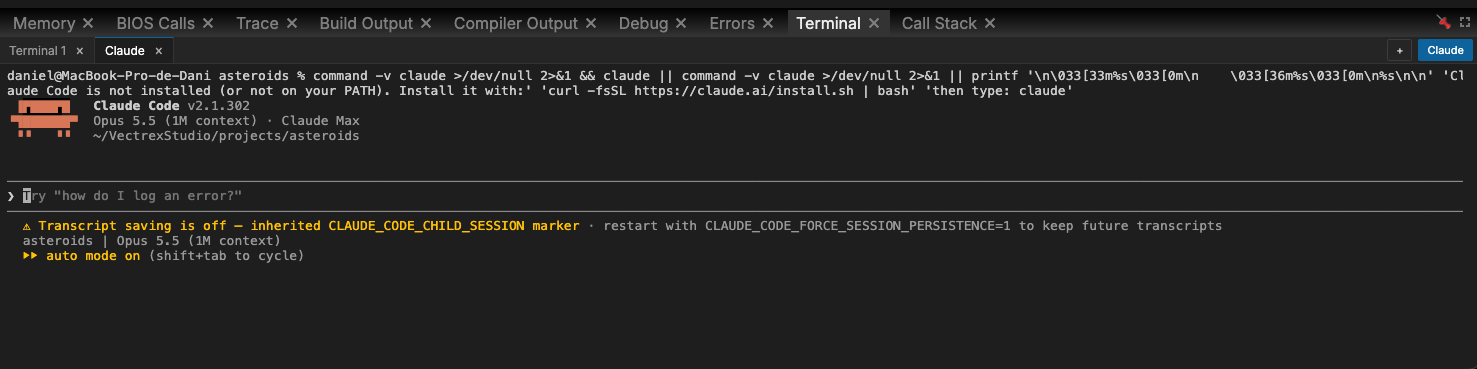
- An integrated terminal, with Claude Code built in. Type
claudeand it is connected to the IDE through its MCP server: it can read the open project, run it, look up the API, create assets that are checked by the compiler, create projects, and even upload to and debug on the cartridge. Paste an image into the terminal and its path is pasted for the assistant to look at; drop files to paste their paths. - File tree context menu: new file or folder, cut/copy/paste, duplicate, copy path, reveal, rename (F2), and delete to the system trash.
- Tab context menu: close others, to the right, saved or all; copy path; pin and unpin.
- Switching project closes the old project's tabs.
- The video recorder captures what is on screen together with every live audio source, including the cartridge's audio jack.
- The UI font travels with the IDE, which fixes blank labels on some Linux desktops, and every user-visible text is now in English.
Notable fixes
A release this size fixes a lot. Some of the ones you might have hit:
- Compiler: correct stack frames and module scopes on ARM; nested-expression temporaries; constant folding; reproducible builds;
MOVEwith variables;atan2no longer returns 0; au8array copy that overran ROM and RAM; nestedand/or; builtins that only linked when another builtin was also used. - Audio: the PSG is clocked at 1.5 MHz, as on the console, so music and effects play at their real pitch — the SFX editor now sounds like the game.
- Drawing: a systematic rounding bias in the line maths, fixed; long moves are no longer clipped.
- Emulator: several 6809 and Thumb-2 instruction fixes (
SUBW,SBCflags, shift carries). - IDE: every engine stops on build (no more stuck audio); F5 while paused continues instead of rebuilding; a previous build's game is never loaded by mistake.
The full list is in the changelog.
Get it
Vectrex Studio v0.4.0 is on the releases page, for macOS (Apple Silicon), Windows (installer and portable) and Linux (AppImage and .deb).
On macOS the app is not signed with an Apple Developer certificate, so after dragging it to Applications, run once:
xattr -cr "/Applications/Vectrex Studio.app"
Your existing projects open as they are. The first time a project builds for an ARM target, the IDE pins it to the latest SDK and downloads what it needs — so the first build takes a little longer, and every one after it is back to normal.
What's next
- PiTrex on the new SDK, tested on hardware.
- Bone animation clips and terrain from VPy (the formats and editors are there; the VPy builtins are not yet).
- More examples for the 3D pipeline and for C projects.